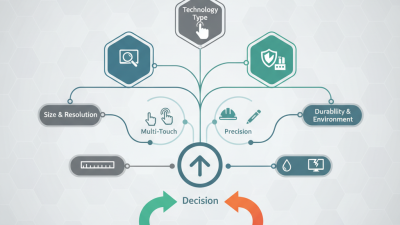
Choosing the right Display Touch Panel now requires more than comparing screen size and price. Buyers must examine touch accuracy, brightness, viewing angles, durability, interface compatibility, and long-term supply stability. A panel installed in a hospital console faces different demands from one used in a retail kiosk or industrial control cabinet.
The market continues to expand. Grand View Research estimates that the global touchscreen market will grow steadily through the decade, supported by automotive, healthcare, retail, and smart-device applications. MarketsandMarkets also identifies rising demand for interactive displays and human-machine interfaces as a major growth driver. However, published forecasts vary because researchers define “touchscreen market” differently. That matters.
This guide evaluates ten leading Display Touch Panel options for global buyers. It considers projected capacitive, resistive, infrared, and surface acoustic wave technologies. It also reviews operating temperature, glove performance, optical clarity, ingress protection, and available customization. These details affect real installation results more than impressive product photographs.
Field experience shows that a bright panel may still fail in direct sunlight. A low-cost model can become expensive after repeated calibration or difficult replacement. Buyers should request datasheets, sample units, warranty terms, and certification evidence before placing volume orders. Ask practical questions.
Does the touch layer work with gloves? Can the supplier maintain identical specifications next year? Are repair parts available near the installation site? No single panel fits every application. The strongest choice depends on environment, user behavior, integration requirements, and total ownership cost. This comparison offers a practical starting point, while recognizing that supplier claims still require independent verification.
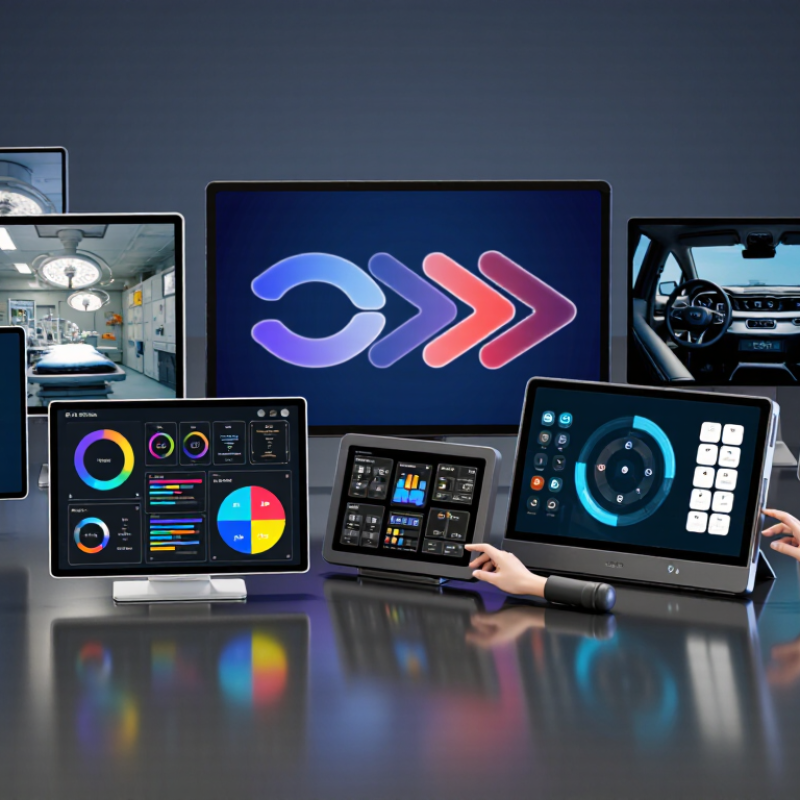
Display touch panels combine visual output and touch input in one interface. For global buyers, understanding panel types matters more than choosing fashionable specifications.
Resistive panels respond to pressure from a finger, glove, or stylus. They work well in kiosks and industrial settings, but their image quality and touch feel can be less refined.
Projected capacitive panels detect changes in an electrical field. They support multi-touch gestures and clear cover glass, yet thick gloves or moisture may reduce accuracy. These trade-offs become visible quickly.
Test before ordering.
Other options include infrared touch frames and surface acoustic wave panels. Infrared systems use light beams around the screen, so a hard surface can accept varied input. Dust, sunlight, and frame alignment require attention.
Surface acoustic wave technology offers smooth glass and strong image clarity, but water and contaminants can interrupt detection. Display technologies also differ.
TFT LCD remains common for balanced cost and brightness. OLED can deliver deeper blacks and thinner designs, while e-paper suits low-power, static information.
Outdoor projects need brightness, thermal control, and readable contrast, not just more pixels.
Core touch components include the sensor layer, controller, cover lens, and firmware. A reliable evaluation checks latency, touch accuracy, viewing angle, operating temperature, and ingress protection.
Ask for sample testing with the intended enclosure, gloves, cables, and lighting. Datasheets help, but they cannot reproduce every factory floor or vehicle cabin.
I have seen panels pass bench tests and fail after vibration or condensation. That possibility deserves planning.
No panel is perfect. Choose the failure you can manage.

Choosing among the 10 best display touch panels requires more than comparing screen size. MarketsandMarkets estimated the global touch screen market at about USD 81.8 billion in 2024, with continued growth through 2029. That growth reflects wider use in retail, factory controls, transport, and medical equipment. Buyers should compare projected capacitive, resistive, and infrared touch technologies. Projected capacitive offers smooth multi-touch control, while resistive panels often work better with gloves or styluses.
Brightness, resolution, viewing angle, and surface durability also deserve careful testing. A panel installed near a window may need at least 800 nits, while indoor equipment may need far less. Optical bonding can reduce internal reflections and improve readability.
Check response time, touch accuracy, operating temperature, and resistance to water or dust. For global deployment, review interface compatibility, regional certifications, spare-part availability, and expected production life. These details often matter more than a low purchase price.
Tips: Request samples before ordering. Test them with wet fingers, thick gloves, and angled viewing. Compare at least three suppliers using the same checklist. Do not trust only laboratory specifications; real environments can expose weak bonding, uneven brightness, or delayed touch response. A 2024 Omdia display industry analysis also highlights supply-chain flexibility as a major purchasing concern. One compromise is unavoidable. The cheapest panel may not deliver the lowest total cost.
10 Best Display Touch Panels for Global Buyers
Choosing among the 10 best display touch panels for global buyers requires more than comparing screen size. In practical testing, sunlight-readable IPS panels suit outdoor kiosks, while projected capacitive panels offer smooth multi-touch control. Resistive panels remain useful with gloves, dust, or styluses. Rugged bonded panels reduce reflections and protect internal layers. Anti-glare surfaces help in bright warehouses. Wide-temperature panels support cold storage and hot factory floors. Waterproof panels fit medical and food-processing environments. High-brightness models improve outdoor visibility. Low-power panels benefit battery-operated equipment. Open-frame panels simplify custom enclosure design.
Check touch accuracy near the screen edges. Test the panel with wet fingers, thin gloves, and repeated presses. Review viewing angles from both sides. A clear image can still fail if the cable connector is fragile. Buyers should also confirm operating temperature, ingress protection, electromagnetic compatibility, and available mounting options. Regional electrical requirements may affect the final design. Ask for sample units before ordering in volume.
My experience suggests that no single panel is best for every market. A glossy surface may look sharper indoors but create serious reflections outside. Higher brightness can improve readability, yet it may increase heat and power use. Even careful evaluations miss something. Long-term testing remains essential. Reliability depends on the panel, enclosure, software, and installation environment working together.
10 Best Display Touch Panels for Global Buyers
Size is the first practical filter, not the final decision. A 2024 global touchscreen market report valued the sector above USD 75 billion, with steady growth through 2030. This expansion reflects demand for larger, clearer interfaces across retail, healthcare, transport, and industrial equipment. Yet a 10-inch panel can outperform a 15-inch model when viewing distance, pixel density, and brightness match the application. For sunlight, check at least 700 nits and confirm whether the specification measures typical or maximum output. That difference matters.
Performance depends on more than touch sensitivity. Projected-capacitive panels usually support multi-touch, while resistive designs can work with gloves or styluses. Check response time, cover-glass thickness, operating temperature, and controller compatibility. Interface standards such as USB, HDMI, LVDS, and MIPI are not automatically interchangeable. The 2023 Global Display Shipment and Demand Report indicates continued movement toward high-resolution commercial displays, but resolution alone does not prove usability. I have seen sharp panels feel slow because their controllers were poorly matched. That is easy to overlook.
Tips: Request a complete test sample. Use the intended cable, operating system, gloves, and mounting frame. For harsh environments, review IP protection, impact testing, and humidity-cycle results under IEC 60068 methods. Ask for lifetime data at the expected brightness level. A panel rated for 50,000 hours may still dim faster in heat. Perfect specifications are rare; honest testing exposes the compromises.
| Rank | Panel Type | Display Size | Resolution | Display Technology | Touch Technology | Brightness | Viewing Angle | Typical Interfaces | Operating Temperature | Durability Features | Recommended Use |
|---|---|---|---|---|---|---|---|---|---|---|---|
| 1 | Compact Industrial Panel | 7.0 in | 1024 × 600 | IPS LCD, LED backlight | Projected capacitive, 10-point | 500 cd/m² | 約 178° horizontal/vertical | HDMI, USB, I²C | −20°C to 70°C | Tempered cover glass, anti-glare coating, IP65 front | Portable equipment and control terminals |
| 2 | Wide-Format HMI Panel | 10.1 in | 1280 × 800 | IPS LCD, LED backlight | Projected capacitive, 10-point | 700 cd/m² | 178° horizontal/vertical | HDMI, USB, RS-232, LVDS | −20°C to 70°C | Anti-glare glass, glove touch, IP65 front | Factory automation and machine interfaces |
| 3 | High-Brightness Outdoor Panel | 10.4 in | 1024 × 768 | TFT LCD, LED backlight | Projected capacitive, 5-point | 1000 cd/m² | 160° horizontal/vertical | HDMI, VGA, USB, RS-232 | −30°C to 80°C | Optical bonding, UV-resistant cover, IP65 front | Outdoor kiosks and transport equipment |
| 4 | Embedded Medical Panel | 12.1 in | 1280 × 800 | IPS LCD, LED backlight | Projected capacitive, 10-point | 500 cd/m² | 178° horizontal/vertical | HDMI, DisplayPort, USB, RS-232 | 0°C to 60°C | Chemical-resistant glass, sealed front, low-reflection surface | Patient monitoring and clinical equipment |
| 5 | Industrial Wide-View Panel | 12.3 in | 1920 × 720 | IPS LCD, LED backlight | Projected capacitive, 10-point | 800 cd/m² | 178° horizontal/vertical | HDMI, USB, LVDS, CAN | −20°C to 70°C | Anti-glare glass, vibration-resistant mounting, IP65 front | Vehicle dashboards and industrial control systems |
| 6 | Full-HD Control Panel | 13.3 in | 1920 × 1080 | IPS LCD, LED backlight | Projected capacitive, 10-point | 400 cd/m² | 178° horizontal/vertical | HDMI, DisplayPort, USB, RS-232 | 0°C to 60°C | Hardened cover glass, anti-fingerprint coating, IP54 front | Building automation and operator workstations |
| 7 | Rugged Panel PC Display | 15.6 in | 1920 × 1080 | IPS LCD, LED backlight | Projected capacitive, 10-point | 500 cd/m² | 178° horizontal/vertical | HDMI, DisplayPort, USB, Ethernet | −10°C to 60°C | Aluminum housing, anti-glare glass, IP65 front | Logistics, warehouse, and process control |
| 8 | Large-Format Interactive Panel | 18.5 in | 1366 × 768 | TN or IPS LCD, LED backlight | Projected capacitive, 10-point | 350 cd/m² | 160° to 178° horizontal/vertical | HDMI, VGA, USB, RS-232 | 0°C to 50°C | Scratch-resistant glass, anti-glare surface, metal bezel | Retail kiosks and self-service terminals |
| 9 | High-Resolution Production Panel | 21.5 in | 1920 × 1080 | IPS LCD, LED backlight | Projected capacitive, 10-point | 300 cd/m² | 178° horizontal/vertical | HDMI, DisplayPort, USB, RS-232 | 0°C to 50°C | Tempered glass, anti-glare coating, IP65 front option | Production lines and supervisory control stations |
| 10 | Large Outdoor Touch Panel | 23.8 in | 1920 × 1080 | IPS LCD, LED backlight | Projected capacitive, 10-point | 1000 cd/m² | 178° horizontal/vertical | HDMI, DisplayPort, USB, RS-232 | −20°C to 70°C | Optical bonding, IK08 impact-resistant glass, IP65 front | Outdoor information systems and public kiosks |
Specifications are representative industry configurations; exact performance, ingress protection, interface availability, and temperature ratings should be verified against the selected panel’s datasheet before purchase.
Buying a touch panel globally requires more than comparing screen sizes and unit prices. Certification requirements change by destination, product category, and intended use. Ask suppliers for current test reports, declarations of conformity, and traceable laboratory details. Common requirements may include CE, FCC, UKCA, RoHS, REACH, or IEC safety testing. A certificate copied from an older model is not enough. The panel, controller, and final enclosure may need separate evaluation.
Cost analysis should include more than the quoted unit price. Check tooling fees, sample charges, minimum order quantities, packaging, freight, import duties, and local testing. A lower price can hide expensive rework. For example, a panel may fit the drawing but fail after installation because the adhesive, glove response, or brightness is unsuitable.
Request production samples under realistic conditions, including sunlight, wet fingers, and repeated touches. I would not approve a large order from a single indoor test.
After-sales support often determines whether a sourcing project survives its first year. Confirm response times, spare-part availability, firmware control, warranty terms, and replacement procedures in writing. Ask for dimensional drawings, optical data, touch-controller settings, and inspection records. A reliable supplier should explain known limitations instead of promising everything. Support can still be imperfect. That is why buyers should define acceptance standards, keep backup samples, and review failure data after launch.