How to Choose the Right Touch Screen Panel for Your Project?
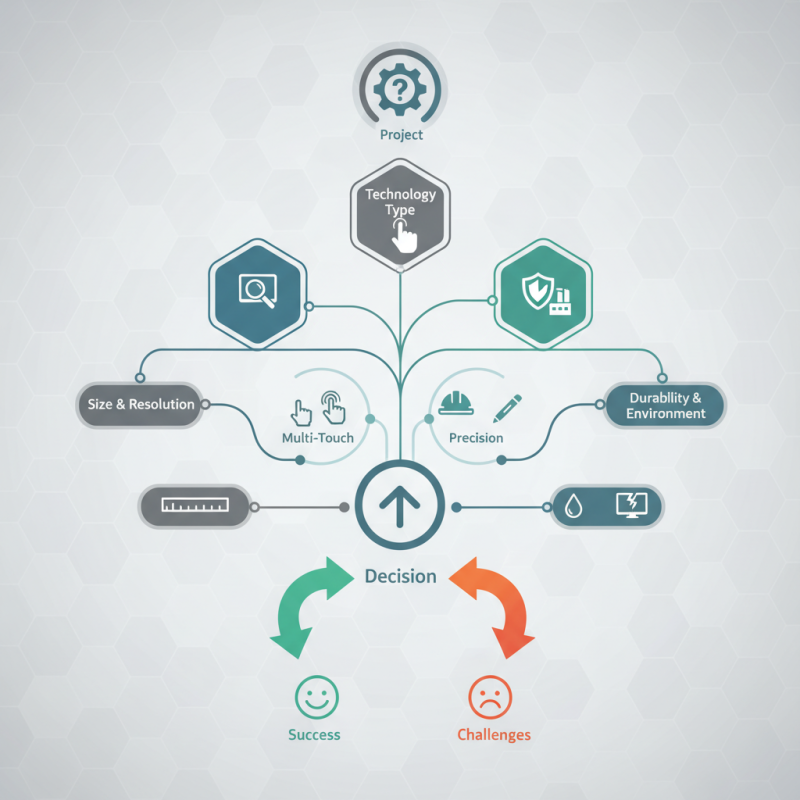
Choosing the right Touch Screen Panel for your project is crucial. It influences usability, user experience, and overall success. With various options available, the decision can be overwhelming. You need to consider multiple factors, such as size, resolution, and technology type.
A Touch Screen Panel can vary greatly in performance and capabilities. Different projects require different features. It's important to assess your project's specific needs thoroughly. Not all panels are created equal. Some may lack the durability required for industrial environments, while others might not support multi-touch functionalities. Each choice comes with its pros and cons.
Evaluating the right Touch Screen Panel means balancing functionality with limitations. Think about your audience and how they'll interact with the panel. Do they need quick access? Or precise control? Testing prototypes can reveal valuable insights but might also highlight unexpected issues. Careful consideration and an understanding of available options will empower you to make an informed decision.
Understanding Your Project Requirements for Touch Screen Panels
When selecting a touch screen panel, it's crucial to understand your project requirements fully. Consider the environment where the panel will be used. For instance, outdoor settings might need a more durable panel with higher brightness. Industry reports indicate that the global touch screen market is projected to reach $42 billion by 2026, highlighting the importance of choosing wisely. This growth is driven by the demand for interactive displays in various sectors, including retail and healthcare.
The sensitivity of the touch screen is another key aspect. Depending on user interaction, you might require capacitive or resistive touch screens. Capacitive screens offer better multi-touch capabilities, while resistive screens are more affordable and effective in rugged environments.
Tips: Assess your target audience for the interface design. Test different screen types before making a choice. Also, ensure your panel is compatible with your existing hardware. Don't overlook the importance of support and after-sales service, as this can impact your project’s success. Take time to evaluate user feedback, as it provides insights that can guide your decisions and mitigate risks.
How to Choose the Right Touch Screen Panel for Your Project?
| Panel Type |
Screen Size |
Touch Technology |
Resolution |
Operating Environment |
Price Range |
| Capacitive |
10.1 inches |
Capacitive |
1920 x 1080 |
Indoor |
$150 - $200 |
| Resistive |
7.0 inches |
Resistive |
800 x 480 |
Outdoor |
$50 - $100 |
| Projected Capacitive |
15.6 inches |
Projected Capacitive |
1920 x 1080 |
Indoor/Outdoor |
$300 - $450 |
| Infrared |
32 inches |
Infrared |
1920 x 1080 |
Outdoor |
$600 - $800 |
Types of Touch Screen Technologies and Their Applications
When selecting the right touch screen technology for your project, understanding the different types available is crucial. Resistive touch screens are highly durable and cost-effective. They respond to pressure, making them ideal for environments where gloves are worn. However, their clarity can be lower than other options, limiting visibility in bright conditions.
Capacitive touch screens offer higher sensitivity and clarity. They can detect multiple touches, enhancing user experience. These screens are often used in smartphones and tablets. Yet, they may not perform well with gloved hands or when wet. The choice between these technologies depends on your specific needs and environment.
Infrared touch screens use light beams to detect touch. They allow for durable surfaces and multi-touch capabilities. Nonetheless, they can be sensitive to dust or obstructions. Optical touch screens offer great versatility. They provide excellent image quality and are used in educational settings and kiosks. However, their performance can deteriorate under direct sunlight, presenting challenges for outdoor applications.
Each technology has its own strengths and weaknesses, making careful consideration essential for effective implementation.
Factors to Consider When Selecting a Touch Screen Size
When selecting a touch screen size for your project, various factors come into play. The size of the display directly influences user experience and functionality. According to a recent industry report, 50% of users prefer screens between 10 to 15 inches for optimal usability. Smaller screens can limit interaction, while larger ones may increase costs and physical space requirements. Striking the right balance is essential.
User demographics and application types are vital considerations. For instance, a retail application benefits from larger screens, drawing customers in. In contrast, portable devices need to be compact. Research shows that 70% of consumers feel more engaged with interactive kiosks featuring 20-inch displays. This data highlights the importance of understanding your target audience and the context in which the screen will be used.
Moreover, clarity and resolution must not be overlooked. A smaller touch screen with high resolution can outperform a larger, lower-quality display. As screen size increases, so does the risk of finger fatigue and mis-taps. Balancing size with usability is critical. Not every project justifies a massive display; practical testing can sometimes reveal surprising user preferences.
Touch Screen Panel Sizes and Their Popularity
Evaluating Durability and Environmental Resistance of Touch Screens
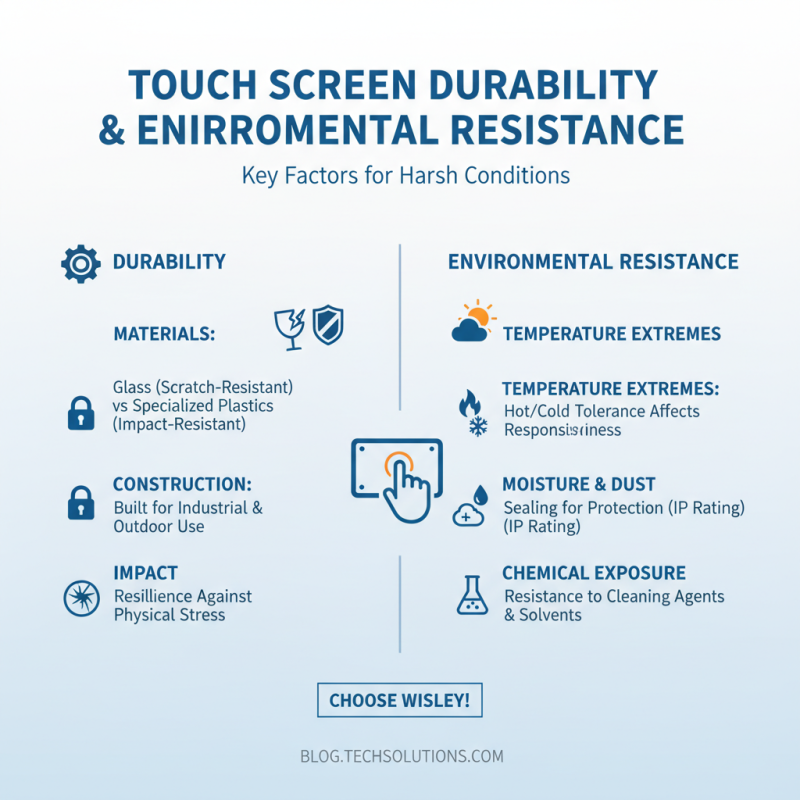
When selecting a touch screen panel, durability and environmental resistance are crucial factors. A touch screen needs to withstand harsh conditions, whether in an outdoor kiosk or an industrial setting. Consider the materials used in the panel's construction. For instance, glass and specialized plastics provide varying levels of resistance. Each material has strengths and weaknesses. Regular exposure to extreme temperatures can change a panel’s responsiveness.
Another factor is the IP rating, which indicates protection against dust and water. High-rated panels endure moisture and debris better. If your project requires heavy use, you may want to look for screens that offer additional protection, such as anti-glare coatings or chemical resistance. Users often overlook long-term wear and tear, which can lead to expensive replacements.
Additionally, think about the touch technology, such as capacitive or resistive. Each type serves different purposes and environments. Resistive screens may handle dirt and liquids better, but they can lose sensitivity over time. Users must decide which factors matter most in their specific context. It's essential to weigh the pros and cons while remaining aware of potential compromises in performance or longevity.
Budget Considerations: Cost vs. Features in Touch Screen Selection
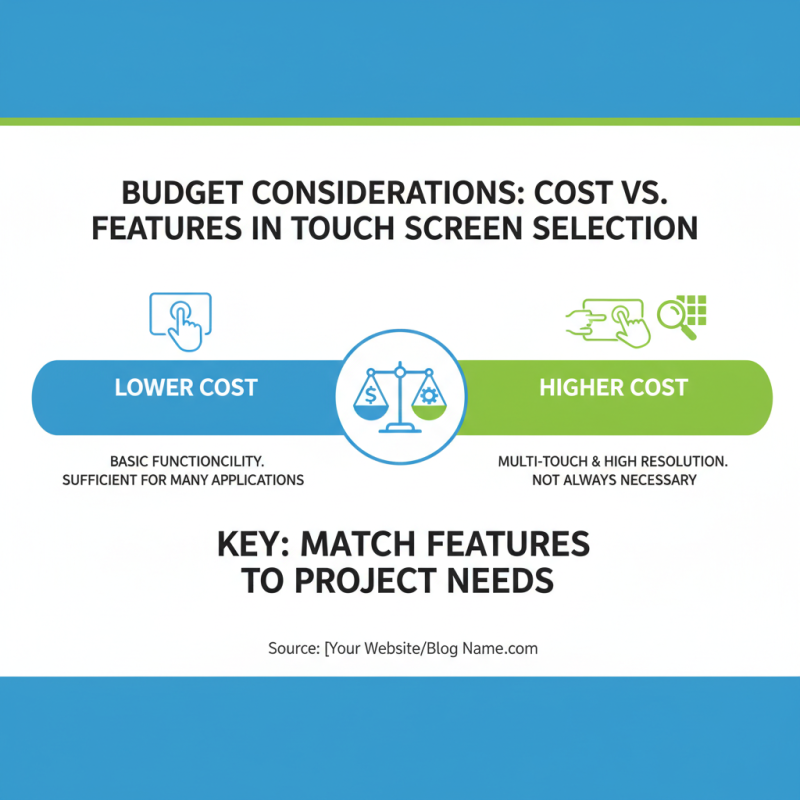
When selecting a touch screen panel for your project, budget is often a primary concern. The cost of touch screens can vary greatly. More expensive models often boast advanced features like multi-touch and high resolution. However, this doesn’t always mean a superior experience for every application. Sometimes, basic functionality is all that’s required.
Consider the purpose of your project. If it’s for a simple kiosk, investing in a high-end panel may be unnecessary. Instead, focus on the essential features. Look for durability and responsiveness within your budget. This approach ensures you won’t overspend on unneeded technology.
**Tips:** Define your essential features first. This will help you compare options effectively. Research the average costs of different types of touch screens. Create a list of features versus costs, which will make it easier to visualize where your money goes. Be open to compromises. Maybe you can sacrifice a little resolution for better durability. Balancing cost and features is key in reaching a satisfactory decision.