Leave Your Message

China Top 10 LCD Touch Monitor Manufacturers in 2026

China’s LCD touch monitor sector serves factories, retail counters, classrooms, and public-service kiosks. Buyers compare more than screen size. They examine touch accuracy, brightness under overhead lights, response time, enclosure strength, and support for long operating hours. Touch is not a checkbox.

Grand View Research’s Touch Screen Market report valued the global touchscreen market at USD 78.7 billion in 2023. Its 2024–2030 forecast projected an 8.6% compound annual growth rate. This figure covers touchscreen technologies broadly, not LCD touch monitors alone. Omdia’s Display Long-Term Demand Forecast Tracker provides wider panel-market context, but does not isolate this product category. The distinction matters: a broad market forecast cannot prove that any one monitor segment will grow at the same pace.

Usability deserves equal attention. Don Norman, a leading human-centered design researcher, wrote, “Good design is actually a lot harder to notice than poor design, in part because good designs fit our needs so well that the design is invisible.” His observation applies to touch displays: a screen may look impressive, yet feel tiring after repeated use. This guide introduces ten Chinese manufacturers for 2026 and considers their product focus, customization, quality controls, and practical fit. Specifications still need checking against actual samples. A polished brochure is not proof of reliable performance.
China Top 10 LCD Touch Monitor Manufacturers in 2026

LCD Touch Monitors: Technology, Components, and Core Functions

China Top 10 LCD Touch Monitor Manufacturers in 2026
LCD Touch Monitors: Technology, Components, and Core Functions

An LCD touch monitor combines a display panel with a touch-sensing layer and control electronics. The LCD panel forms the image, while LED backlighting provides illumination. Touch input usually comes from projected capacitive or resistive sensing. Each approach suits different working conditions. Capacitive screens respond well to light finger contact; resistive screens can work with a gloved hand or stylus. The controller converts a touch into coordinates that the connected computer can read. Small details matter.

Core functions include displaying clear images, registering taps and gestures, and connecting to a host device through interfaces such as HDMI, DisplayPort, USB, or serial ports. Brightness, viewing angle, touch accuracy, and surface durability affect daily use. In a bright control room, a dim panel can be hard to read. In a busy workshop, dust or vibration may expose weaknesses that a desk test misses. Specification sheets help, but they do not tell the whole story.
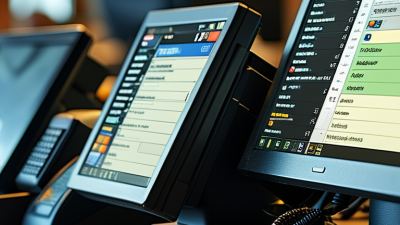
Tips: Check the monitor with your actual software, lighting, and gloves before selecting it. Test the full cable setup, too. A small compatibility issue can become a daily annoyance.

China’s LCD Touch Monitor Industry in 2026

In 2026, China’s LCD touch monitor industry draws on a broad electronics supply base. Demand comes from retail counters, transport terminals, medical settings, and factory floors. Many suppliers coordinate panels, touch sensors, housings, and assembly within one region. That can shorten development cycles. Not everywhere. Capabilities still vary by product and factory.

Buyers increasingly assess more than screen size and quoted price. They may check brightness under overhead lights, touch response with gloves, and operation across long shifts. Optical bonding can improve readability, but it may raise cost and complicate repairs. Interfaces, mounting dimensions, and operating temperatures also need to match the installation site. A practical review includes sample testing, not just specification sheets.

The industry’s strength lies in flexible customization and an extensive component network. Yet consistency remains a point for careful scrutiny. A sample may perform well while production units show differences in color, touch sensitivity, or enclosure fit. Ask about inspection records, aging tests, replacement parts, and support response times. These details are less visible than a bright display, but they matter in daily use. Industry progress is real, though uneven; purchasing decisions still benefit from direct verification.

China’s LCD Touch Monitor Industry in 2026

Representative display resolutions and their calculated pixel counts

Pixel counts are calculated by multiplying each resolution’s width by its height. These are display specifications, not sales figures or manufacturer rankings.

Criteria for Selecting and Comparing the Top 10 Manufacturers

When comparing LCD touch monitor manufacturers, examine the product’s intended environment before judging its specifications. A kiosk in a bright lobby needs different brightness and surface protection from a control-room display. Compare resolution, viewing angles, touch response, and supported operating systems against your actual use case. Ask for measured data, not just broad claims. Small differences matter.

Production quality deserves equal attention. Request sample units and inspect them under ordinary working conditions. Check touch accuracy near screen edges, image consistency, connector fit, and performance after extended use. Ask how the manufacturer tracks defects and tests finished monitors. Clear test procedures are more useful than a polished brochure. They do not guarantee every unit will perform perfectly, but they make evaluation more grounded.

Also compare customization, delivery capacity, warranty terms, and technical support. A low unit price may not include tooling, packaging changes, or replacement logistics. Confirm what happens when a sample differs from the final production batch. This detail is often overlooked. For a fair comparison, use the same checklist with every supplier, then record evidence beside each score. Some criteria will remain subjective; note that openly rather than pretending the ranking is exact.

Profiles of China’s Top 10 LCD Touch Monitor Manufacturers

China’s LCD touch monitor manufacturers vary in size, engineering focus, and production model. A useful profile looks beyond screen size and price. It checks touch technology, brightness, interface options, and the conditions each display can handle. Some manufacturers focus on standard desktop units; others build panels for kiosks, counters, or factory workstations. Details matter.

When comparing the ten profiles, examine practical specifications. A 15.6-inch panel may suit a compact service desk, while a larger screen can make shared menus easier to read. Ask whether the glass is bonded, how the monitor connects to a computer, and whether brightness remains legible near a sunlit window. Request clear information on test procedures, warranty coverage, and production capacity. Good answers should be specific, not just polished.

Trade-offs remain. A rugged enclosure can add weight, and higher brightness may increase power use. Touch performance can also change with gloves, moisture, or repeated cleaning, so sample testing is sensible. One brochure cannot prove long-term reliability. Compare stated specifications with datasheets and, where possible, evaluate a unit in the intended setting. Even capable suppliers may differ in documentation or response time; that deserves attention, too.

China Top 10 LCD Touch Monitor Manufacturers in 2026 - Profiles of China’s Top 10 LCD Touch Monitor Manufacturers

Editorial note: The profiles below are anonymized, representative product-category summaries—not verified company rankings or specifications attributed to individual manufacturers. LCD touch monitors commonly vary by size, touch technology, brightness, and interface; confirm exact specifications directly with suppliers.

Profile Typical Product Focus Common Display Sizes Touch Technology Typical Brightness Range Common Connections Typical Applications
01 Compact desktop touch displays 7–10.1 in Projected capacitive (PCAP); resistive options are also common About 200–400 cd/m² HDMI, USB touch; some models include VGA Embedded systems, small control panels, kiosks
02 Standard-format desktop monitors 15–22 in PCAP or 5-wire resistive, depending on use case About 200–350 cd/m² HDMI, VGA, USB touch; DisplayPort on some models Retail counters, offices, information terminals
03 Wide-format interactive displays 21.5–32 in Multi-touch PCAP is common About 250–400 cd/m² HDMI, DisplayPort or VGA; USB touch Self-service kiosks, wayfinding, interactive signage
04 Industrial panel-mount monitors 10.1–21.5 in PCAP or resistive; selection depends on gloves and operating conditions About 250–700 cd/m² HDMI, VGA, DisplayPort; USB or serial touch options Factory automation, machine control, process monitoring
05 Open-frame integration displays 10.1–32 in PCAP and resistive configurations are both available in the market About 250–500 cd/m² HDMI, VGA, DisplayPort; USB touch Kiosk integration, gaming cabinets, custom enclosures
06 High-brightness outdoor or window-facing displays 15–32 in PCAP is common; sunlight readability depends on the complete display design About 700–1,500 cd/m² in high-brightness models HDMI, DisplayPort or VGA; USB touch Outdoor kiosks, transport terminals, bright retail environments
07 Medical and healthcare-use displays 15–27 in PCAP or resistive; medical suitability requires product-specific verification About 250–500 cd/m² HDMI, DisplayPort; USB touch Clinical workstations, patient check-in, medical equipment interfaces
08 Ruggedized and sealed touch monitors 10.1–21.5 in PCAP or resistive; ingress protection varies by model and enclosure About 300–1,000 cd/m² HDMI, VGA, DisplayPort; USB touch Industrial, marine, transport, and washdown-adjacent installations
09 POS and customer-facing touch monitors 10.1–21.5 in PCAP is common; resistive options remain available for certain workflows About 200–350 cd/m² HDMI or VGA; USB touch; optional peripheral ports vary Point of sale, ordering stations, check-in desks
10 Custom and OEM/ODM touch-display assemblies Commonly 7–32 in, subject to design requirements PCAP or resistive; interface and cover-glass options vary Specified per project; standard and high-brightness options exist HDMI, VGA, DisplayPort, USB or serial options, as specified Equipment OEMs, specialist kiosks, embedded applications

Brightness figures are indicative ranges found across product categories, not guaranteed specifications. Touch performance, resolution, operating temperature, ingress protection, certifications, and interface support should be checked against the datasheet for each model.

Product Strengths, Target Industries, and Emerging Trends

By 2026, strong LCD touch-monitor manufacturers will distinguish themselves through dependable performance, not just sharp images. Useful strengths include responsive projected-capacitive touch, sealed front panels, wide viewing angles, and stable operation across long shifts. For factory floors, readable displays under bright lighting matter more than decorative specifications. Dust changes everything.

Durability and integration also shape product value. Buyers should check mounting options, interface compatibility, touch performance with gloves, and replacement-part availability. The International Federation of Robotics’ World Robotics 2024 report recorded 541,302 industrial robot installations worldwide in 2023. That scale points to growing automation needs, where clear operator panels support machine setup and fault checks. However, robot installations do not directly measure monitor demand. That distinction matters.

Target industries include manufacturing, logistics, healthcare, and retail, each with different priorities. A hospital may favor easy-clean surfaces; a warehouse needs readable screens beside moving equipment. Grand View Research estimated the global touchscreen market at USD 78.1 billion in 2023 and projected 13.9% annual growth through 2030. Its market scope is broader than LCD touch monitors, so the figure is context, not a direct sales forecast. Emerging designs increasingly combine thinner bezels, lower power use, and better touch response. Yet these features can complicate repairs. A sleek panel is not always the practical choice.