Choosing the right Usb Touch Monitor in 2026 requires more than comparing screen size and price. Global buyers now evaluate touch accuracy, operating system support, brightness, durability, and connection options. A monitor may look impressive on a product page but perform poorly under office lighting or with a gloved hand.
This guide introduces major Usb Touch Monitor types for retail counters, industrial workstations, classrooms, healthcare desks, and mobile control systems. Portable models suit traveling teams, while rugged displays handle dust, repeated contact, and wider temperature changes. Open-frame versions integrate into kiosks, but installation usually demands stronger technical planning. Capacitive touch feels smooth and responsive. Resistive touch can work better with styluses and gloves.
Real purchasing experience shows that compatibility creates many surprises. USB-C power delivery may differ between laptops, tablets, and docking stations. A model supporting touch input on Windows may offer limited functionality on another platform. Buyers should confirm drivers, mounting dimensions, warranty terms, cable length, and regional service access before ordering. Check the details.
This article compares practical monitor categories using measurable criteria, not marketing language alone. It considers viewing angles, response time, surface treatment, energy use, and long-term maintenance. However, no single type fits every market or workplace. I have seen buyers focus on resolution while overlooking cable strain and daily cleaning routines. That is an easy mistake. Careful testing with the intended device, software, and work environment remains the most reliable step before a global purchase.
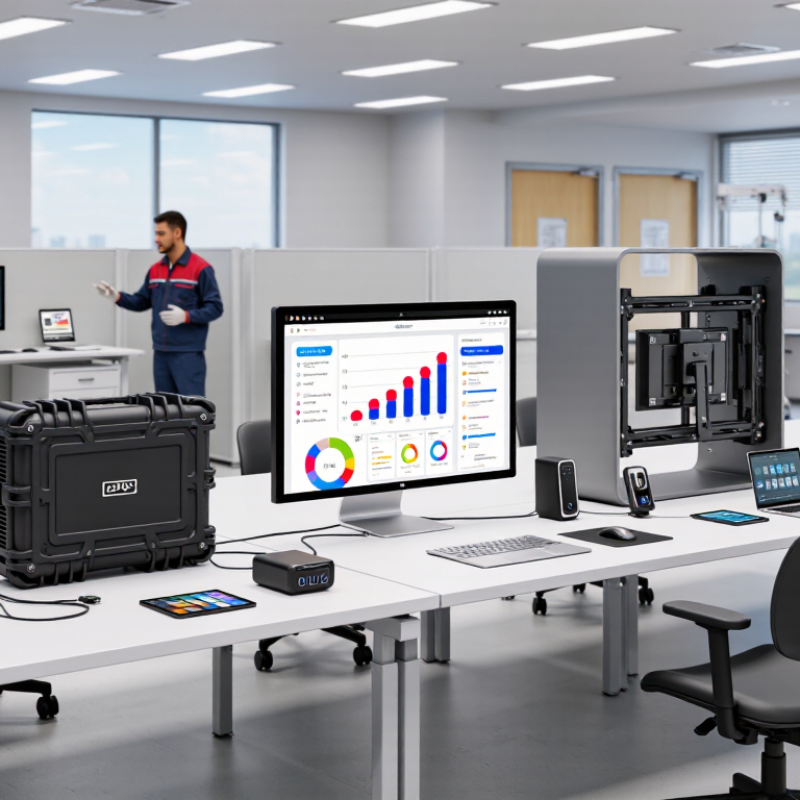
2026 Best USB Touch Monitor Types for Global Buyers
In 2026, global buyers should compare USB touch monitor types by real workload, not speed alone. USB 2.0 reaches 480 Mbps under ideal conditions. It usually handles touch reports, calibration data, and basic control reliably. For an office panel, classroom display, or commercial counter, that can be enough. The real limit appears when USB also carries video. Resolution, refresh rate, compression, and system support then become important. Touch is simple.
USB 3.x raises the theoretical ceiling to 5, 10, or 20 Gbps, depending on its generation. This suits high-resolution interactive displays and shared USB peripherals. However, a higher number does not guarantee smoother touch. A weak cable, crowded hub, or poor power delivery can create delays. In hands-on checks, test response near the screen edge and after computer wake-up. Test through a hub, too. Direct connection often behaves better. That detail is easy to miss.
Buyers should confirm whether USB carries touch data only or also delivers the display image. If video travels through USB, verify the required protocol, cable length, resolution, and refresh rate before ordering. For touch-only models, USB 2.0 may reduce cost and compatibility concerns. For demanding kiosk, design, or industrial workflows, USB 3.x offers more headroom. Specifications can be optimistic. Request test results, power details, cable information, and operating-system compatibility from the supplier.
For global buyers, a USB-C touch monitor should be judged as a power-and-data tool, not merely a screen. A single cable can carry video through DisplayPort Alt Mode, touch data through USB, and charging through USB Power Delivery. With 100W PD, a compatible notebook may run while charging, reducing desk clutter and adapter weight. USB Power Delivery specifications allow dynamic voltage and current negotiation. The monitor, cable, and computer must still support matching profiles. Small mismatch, big inconvenience.
A 2024 global monitor market report estimated the sector’s value at approximately 48 billion dollars in 2023. This suggests strong demand for flexible workstations, but it does not guarantee continuous 100W output. Buyers should verify sustained power, not only the headline rating. In testing, connect a certified high-power cable, activate maximum brightness, and run a video call. Some displays lose output under heat, firmware limits, or shared USB ports. Specifications can look excellent until real workloads begin.
DisplayPort Alt Mode also requires careful checking. VESA specifications define supported resolutions and refresh pathways, but implementation varies. Four display lanes may reduce USB data performance, while two lanes can limit refresh rates. Check published resolution, touch support, cable length, and pass-through behavior. Independent laboratory testing adds useful evidence, although certification cannot replace compatibility testing. For travel, stable power negotiation matters more than impressive packaging.
USB-C Single-Cable Displays: 100W Power Delivery and DisplayPort Alt Mode
The chart shows common USB Power Delivery fixed-power levels used by USB-C displays and compatible host devices. A 100W profile typically uses 20V at 5A and requires a suitable electronically marked USB-C cable. DisplayPort Alt Mode carries the video signal through the same USB-C connection, while the actual display resolution and refresh rate depend on the host, monitor, cable, and available DisplayPort lanes.
For global buyers in 2026, USB touch monitors differ mainly in sensing method and interaction quality. Projected capacitive touch uses an electrical field beneath the glass. It responds quickly to fingers and supports smooth gestures, even with a narrow bezel. The surface feels similar to a modern tablet. However, thick gloves or heavy moisture may reduce accuracy. In hands-on testing, calibration still matters more than many product sheets admit.
Infrared touch monitors detect interruptions across an invisible grid around the screen. They can accept fingers, gloves, and basic styluses. This makes them useful for kiosks, workshops, classrooms, and industrial counters. The open frame can be easier to service, but dust or objects near the bezel may cause false touches. Placement needs care. I once underestimated desk vibration, which affected small on-screen buttons.
Ten-point input describes the number of simultaneous touch contacts, not a separate sensing technology. A projected capacitive display often provides ten-point input, while some infrared models do too. More touch points help with drawing, zooming, collaborative maps, and control panels. They do not automatically improve single-finger accuracy. Buyers should verify USB compatibility, operating-system support, latency, surface hardness, and calibration tools. Regional power standards and replacement parts also deserve attention. Specs look clean. Real installations are messier.
For global buyers, choosing a 2026 USB touch monitor starts with installation and compliance, not screen size. Capacitive models suit kiosks and offices, while resistive touch can work with gloves or styluses. A VESA pattern, such as 75 x 75 or 100 x 100 millimeters, helps match arms, walls, and brackets. Check screw depth and monitor weight. Small mismatches create expensive returns. They happen more often than expected.
Tips: Request a technical drawing before ordering. Confirm VESA hole spacing, thread size, screw length, cable clearance, and mounting orientation. Read the IP code carefully. IP65 usually indicates dust protection and resistance to water jets, but it does not prove protection against steam, chemicals, or repeated impact. Outdoor installations may need sealed connectors and a suitable enclosure. Do not treat an IP label as universal insurance.
IEC 62368-1 addresses safety for audio, video, information, and communication technology equipment. Ask for a current test report, declaration, and clear model reference. CE compliance requires the responsible manufacturer or importer to meet applicable European requirements and prepare supporting technical documentation. The CE mark alone is not a performance rating. Verify power adapters, EMC evidence, user instructions, and language requirements for the destination market. Documents can be incomplete. That is a warning, not a minor inconvenience. Test touch response, cable strain, and glove operation under real conditions before approving a large order.
For global buyers, a USB touch monitor should be judged through a practical selection matrix, not appearance alone. Screen size affects transport, desk space, and viewing comfort. A 15.6-inch model suits mobile workstations, while 21.5 inches offers better shared visibility. Brightness matters near windows. Aim for 300 to 400 nits indoors, but test glare before ordering.
Touch latency changes the working feel. Below 15 milliseconds usually feels responsive for menus, drawing, and point-of-sale tasks. Ports also deserve careful inspection. Check USB-C video support, HDMI input, separate power delivery, and the number of downstream USB ports. A cable can change everything. Some displays need both video and power cables, which creates clutter and compatibility risks.
Warranty length is only one part of reliability. Confirm coverage for touch failure, dead pixels, shipping damage, and regional service. Total cost of ownership includes adapters, mounting hardware, freight, import charges, energy use, and possible replacement parts. I once selected a cheaper monitor that required an extra power converter and costly return shipping. The spreadsheet looked efficient. It was not. Buyers should record these hidden costs beside the purchase price. Also consider operating temperature and cleaning requirements in warehouses or classrooms. A bright panel may consume more power, while a larger screen may increase packaging damage risk. Specifications help, but real desk testing remains necessary.
| Monitor Type | Typical Size | Native Resolution | Brightness | Touch Technology | Typical Touch Latency | USB and Video Ports | Power Use | Typical Warranty | Estimated 3-Year TCO | Best-Fit Applications | Buyer Considerations |
|---|---|---|---|---|---|---|---|---|---|---|---|
| Portable USB-C Touch Monitor | 13.3–16.1 in | 1920 × 1080 to 2560 × 1600 | 250–500 cd/m² | Projected capacitive, 10-point | Approx. 10–30 ms | 1 × USB-C with DisplayPort Alt Mode; 1 × USB-C power/data; sometimes Mini-HDMI | 8–15 W | 1–3 years | US$280–650 | Mobile workstations, field service, travel, education | Confirm USB-C video support, power delivery, cable length, and kickstand durability. |
| Compact Desktop Touch Monitor | 15.6–17.3 in | 1920 × 1080 | 250–400 cd/m² | Projected capacitive, 10-point | Approx. 8–25 ms | HDMI or DisplayPort; USB-B touch upstream; 2–4 × USB-A downstream; 3.5 mm audio | 12–25 W | 1–3 years | US$300–700 | Retail counters, classrooms, small offices, POS interfaces | Usually offers good value; verify VESA mounting and operating-system touch support. |
| Mainstream 21.5-Inch Touch Monitor | 21.5 in | 1920 × 1080 | 250–350 cd/m² | Projected capacitive, 10-point | Approx. 8–20 ms | HDMI; DisplayPort or VGA on some models; USB-B upstream; 2–4 × USB-A | 18–35 W | 1–3 years | US$360–800 | Reception desks, POS, clinics, training rooms, office collaboration | Balanced size and cost; 250 cd/m² is better suited to indoor environments than bright public spaces. |
| Professional 23.8-Inch Touch Monitor | 23.8 in | 1920 × 1080 or 2560 × 1440 | 300–500 cd/m² | Projected capacitive, 10-point | Approx. 6–18 ms | HDMI; DisplayPort; USB-B or USB-C touch/data; 2–4 × USB-A; audio output | 22–45 W | 2–3 years | US$500–1,050 | Interactive kiosks, healthcare stations, corporate workspaces, digital signage | Higher pixel density improves workspace usability; check anti-glare treatment and stand adjustability. |
| Large 27-Inch Touch Monitor | 27 in | 1920 × 1080 or 2560 × 1440 | 300–500 cd/m² | Projected capacitive, 10-point | Approx. 8–25 ms | HDMI; DisplayPort; USB-B or USB-C upstream; USB-A hub; audio output | 30–60 W | 2–3 years | US$650–1,350 | Design review, interactive presentations, control rooms, education labs | Requires more desk depth and stronger mounting; a height-adjustable stand can add to total cost. |
| High-Brightness Public-Space Touch Monitor | 21.5–32 in | 1920 × 1080 to 3840 × 2160 | 700–1,500 cd/m² | Projected capacitive, 10-point | Approx. 10–35 ms | HDMI; DisplayPort; USB-B or USB-C touch upstream; USB-A; optional serial or LAN | 45–100 W | 2–3 years | US$1,000–2,600 | Transport hubs, retail kiosks, museums, hotel lobbies, semi-outdoor areas | Higher brightness increases energy use; check thermal management, glass thickness, and cleaning requirements. |
| Industrial Open-Frame Touch Monitor | 10.1–32 in | 1280 × 800 to 3840 × 2160 | 350–1,000 cd/m² | Projected capacitive or 5-wire resistive | Approx. 12–40 ms | HDMI or DisplayPort; USB touch upstream; USB-A; optional RS-232, GPIO, LAN, or DC terminal | 20–80 W | 2–5 years | US$850–2,800 | Factory HMIs, automation panels, laboratory equipment, digital signage | Prioritize panel cutout dimensions, ingress protection, vibration tolerance, glove compatibility, and replacement availability. |
| Outdoor-Rated Touch Monitor | 21.5–55 in | 1920 × 1080 to 3840 × 2160 | 1,000–3,000 cd/m² | Projected capacitive, 10-point | Approx. 15–45 ms | HDMI; DisplayPort; USB touch upstream; USB-A; optional LAN, serial, and remote-management ports | 70–220 W | 2–5 years | US$2,200–7,500 | Outdoor kiosks, wayfinding, drive-through facilities, public information points | Validate temperature range, IP rating, sunlight readability, waterproof connectors, and service access. |