Top Usb Touch Monitor Features and Benefits You Need to Know?
In today's digital landscape, the USB touch monitor stands out as a vital tool for both personal and professional use. This innovative device combines the ease of a touchscreen interface with the convenience of USB connectivity. With the rapid advancement of technology, understanding its features and benefits is crucial for making informed decisions.
The USB touch monitor offers a variety of applications, from enhancing productivity in office environments to providing engaging experiences in retail. Users can navigate through documents and presentations with simple gestures, making tasks more intuitive. However, some might underestimate the impact of touch response quality. A sluggish or inaccurate touch screen can lead to frustration and inefficiency.
As you explore the world of USB touch monitors, consider factors like screen resolution and size. These elements significantly influence the user experience. Moreover, while many manufacturers claim to offer seamless integration, not all devices meet expectations. Thoughtful examination of product reviews can guide you toward reliable options. In this guide, we will delve into the top features and benefits you should know.
Key Features of USB Touch Monitors You Should Consider
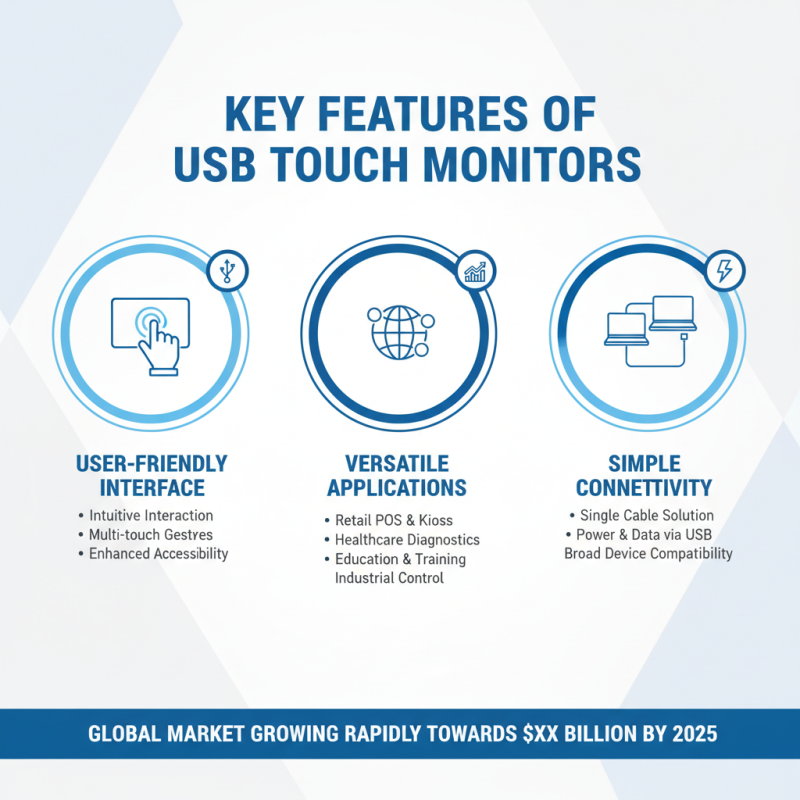
USB touch monitors are increasingly popular in various industries, thanks to their user-friendly features. These monitors offer a reliable interface for interactive displays and serve as essential tools in retail, healthcare, and education sectors. Reports indicate that the global market for touch monitors is expected to grow significantly, reaching billions by 2025. The integration of USB connectivity simplifies setups, enabling quick connection to laptops and other devices.
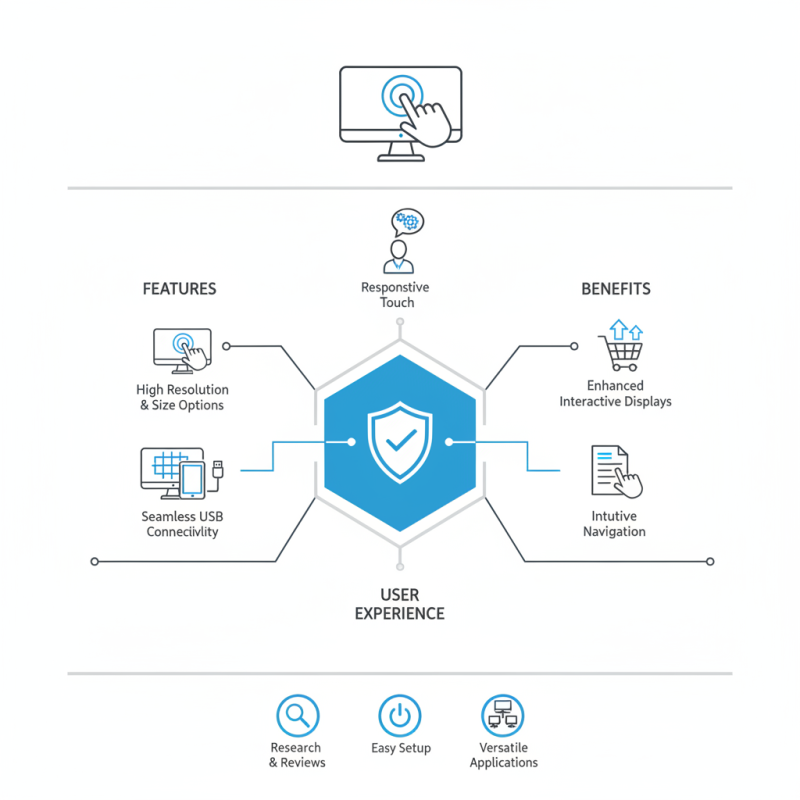
When choosing a USB touch monitor, consider key features like resolution and size. A high-resolution display can enhance user experience, especially for interactive presentations. Additionally, screen size can impact usability. For instance, larger screens are often better in collaborative settings. Touch response time is another critical factor, as slow responsiveness can frustrate users. Research shows that even a delay of a few milliseconds can lead to notable reductions in user satisfaction.
Power consumption is worth considering too. Efficient power usage not only lowers operating costs but also reflects environmental responsibility. Some monitors may not be designed for extended use and can overheat, generating long-term concerns. Thoughtful evaluation of these factors can help maximize the benefits a USB touch monitor can provide.
Advantages of Using USB Touch Monitors for Various Applications
USB touch monitors offer numerous advantages across various applications, enhancing user experience significantly. One key benefit is their intuitive interface. Users can interact directly with what they see on the screen. This brings a hands-on element that is especially beneficial in educational settings. Students can engage actively, making learning more effective. The tactile response encourages participation.
In retail, USB touch monitors streamline transactions. Customers can browse products, place orders, and complete purchases effortlessly. This reduces wait times and enhances satisfaction. Additionally, these monitors often integrate seamlessly with existing systems, simplifying setup. However, users might find some models less durable, which could pose issues in high-traffic areas.
Healthcare benefits greatly from the versatility of USB touch monitors. Medical staff can easily input patient data with quick touchscreen access. This decreases errors and increases efficiency. Nevertheless, the reliance on technology can sometimes be a double-edged sword. If systems fail, healthcare providers might struggle to access critical information promptly. Balancing these benefits with potential drawbacks is essential for effective implementation.
Compatibility: Ensuring Your USB Touch Monitor Works with Devices
When selecting a USB touch monitor, compatibility is a crucial factor. Your monitor should seamlessly connect with various devices like laptops, tablets, and desktops. Many monitors use standard USB connections, ensuring broad compatibility. However, not all devices are created equal. Some older systems may require specific drivers or updates to function correctly with newer monitors.
Pay attention to the operating system you're using. A USB touch monitor may offer limited functionality on certain platforms. For instance, touch capabilities might not work on older versions of operating systems. This limitation can lead to frustrating experiences if you expect full functionality. Research is key. Check online forums or product reviews for insights related to your device's compatibility.
Consider connection types beyond USB. Some monitors offer HDMI and DisplayPort options for video. This can enhance your setup, especially in professional environments. But, ensure your devices support these connections. If you skip this step, you might face connectivity issues later on. It's essential to verify the specifications carefully before making a purchase.
Touch Technology: Capacitive vs. Resistive in USB Touch Monitors
When considering USB touch monitors, the choice between capacitive and resistive touch technology is crucial.
Capacitive touch screens use the electrical properties of the human body, allowing for multi-touch capability. According to market research, capacitive displays make up over 70% of the touch screen market. Their sensitivity provides a smoother and more responsive experience. Users appreciate the clarity and durability of these screens, especially in retail and gaming applications.
On the other hand, resistive touch technology relies on pressure. This type is suitable for environments where gloves or styluses are used, such as healthcare. However, it offers a less responsive experience compared to capacitive screens. A recent report noted that resistive technology holds a 25% share of the market, highlighting its specific use cases.
Understanding the strengths and weaknesses of each technology is vital. Capacitive monitors may face difficulties in harsh conditions like extreme temperatures. Conversely, resistive monitors can lack the nuance of touch sensitivity. Choosing the right technology depends on the intended application. Evaluating user feedback and environmental factors is essential for making informed decisions.
Ergonomics and Design Considerations for USB Touch Monitors
In today's digital age, the ergonomics and design of USB touch monitors play a critical role in user experience. A well-designed monitor should have adjustable height and tilt options. This ensures that users can maintain a comfortable posture during prolonged use. A monitor that is too high or low can lead to neck strain. Users often overlook these factors until they experience discomfort.
Visual clarity is another key aspect. A touch monitor should provide bright and vivid colors. This enhances the interaction and makes tasks more enjoyable. Furthermore, bezel design matters. A thinner bezel can create a more immersive experience, especially in multi-monitor setups. Many users find that an attractive design can boost their productivity.
Another consideration is the surface finish. Glossy screens may look nice but can reflect light, causing glare. This can be distracting during use. Matte finishes, on the other hand, can minimize this issue. People often need to test several screens to find what works best for them. Each individual has unique preferences and requirements for their setup. Thus, personal testing remains crucial for optimal ergonomics.
Understanding the Features and Benefits of USB Touch Monitors
This bar chart illustrates the key features and benefits of USB touch monitors, highlighting their ergonomic considerations and design aspects that enhance user experience.