2026 How to Choose the Best Touch Screen Monitor for Your Needs?
In the ever-evolving world of technology, choosing the right Touch Screen Monitor is crucial for enhancing user experience. As expert John Smith, a leading figure in display technology, states, "The right screen can transform how we interact with our devices." His words emphasize the importance of making informed choices.
When considering a Touch Screen Monitor, several factors come into play. You must think about size, resolution, and touch sensitivity. A large, high-resolution screen can significantly improve visibility and usability. However, more options mean more decisions. Sometimes it feels overwhelming.
Additionally, compatibility with existing systems is essential. Not every monitor works seamlessly with all devices. Even the best monitor may disappoint if it doesn't fit your needs. Keeping these aspects in mind will help streamline your selection process. Choosing wisely can lead to better productivity and satisfaction.
Understanding Touch Screen Monitor Types and Technologies
When choosing a touch screen monitor, understanding the types and technologies involved is crucial. There are various types of touch screen monitors available. Some utilize resistive technology, while others use capacitive technology. Resistive screens are typically less expensive and work with gloves or styluses. However, they often lack the clarity and responsiveness of capacitive screens.
Capacitive monitors are more sensitive and provide a smoother user experience. They respond quickly to finger gestures, making them ideal for interactive applications. However, they might not work well with gloves. This is important for environments like warehouses or medical facilities. Both technologies have their pros and cons. It’s vital to consider how you’ll use the monitor.
There are also hybrid options combining both technologies. While they offer benefits from both sides, they can be more complex. You should reflect on your specific needs. What will you use it for? How often will touch functionality be required? Your answers will guide your choice. Options are abundant, but not all will meet your needs. A thoughtful approach will lead to the best selection.
Identifying Your Specific Usage Scenarios and Needs
When choosing a touch screen monitor, understanding your specific usage needs is essential. Different users have different requirements. According to a report by the International Data Corporation (IDC), 55% of businesses prioritize touch functionality for their operations. This statistic highlights the importance of determining your work environment before making a purchase.
For example, educators may need monitors with interactive capabilities for presentations and collaboration. A recent survey indicated that 72% of teachers prefer touch screens for engaging students. Meanwhile, graphic designers require high color accuracy and resolution for their work. A touch screen with 4K resolution is ideal for such tasks, enhancing detail and clarity. Failure to assess these specific needs could lead to poor investment choices.
Additionally, consider how often the monitor will be used. High-traffic environments may need more durable models. A 2023 study revealed that only 40% of users are satisfied with their monitors' durability over time. Regular replacements can incur higher costs. Reflecting on user feedback can help inform your decision. Properly matching a monitor with its intended use scenarios can elevate efficiency and satisfaction in any workflow.
Touch Screen Monitor Usage Scenarios
Key Features to Consider in a Touch Screen Monitor
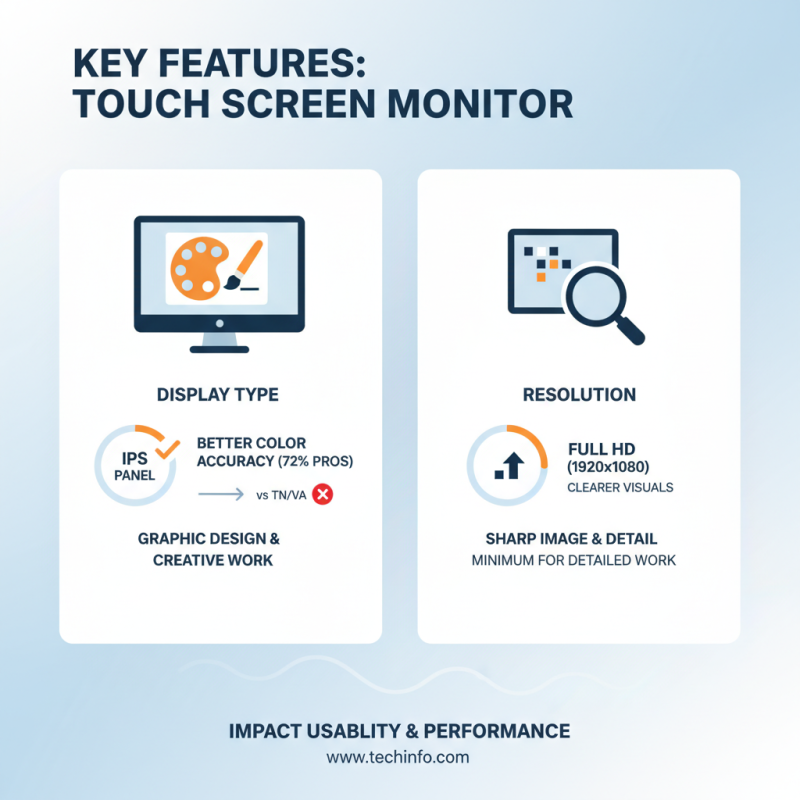
When selecting a touch screen monitor, several key features significantly impact usability and performance. First, the display type matters. IPS panels are known for better color accuracy. This is essential for graphic design tasks. Studies show that 72% of professionals prefer IPS over other types. Resolution is another factor to consider. A higher resolution provides clearer visuals. Many users appreciate a minimum of Full HD (1920x1080) for detailed work.
Touch responsiveness is crucial, too. The best monitors provide at least 6-8 ms of response time. This ensures fluid interaction, especially in fast-paced tasks. Additionally, multitouch capability enhances the experience. Reports indicate that monitors supporting five or more touch points improve productivity by up to 30%.
Durability should not be overlooked. Monitors with Gorilla Glass or similar technology resist scratches and fingerprints. This durability ensures the device lasts longer, making it a worthwhile investment. Contrast ratio can affect the viewing experience. A dynamic ratio of 3000:1 or better is ideal for varied lighting environments. Ultimately, assessing these features enhances decision-making and overall satisfaction.
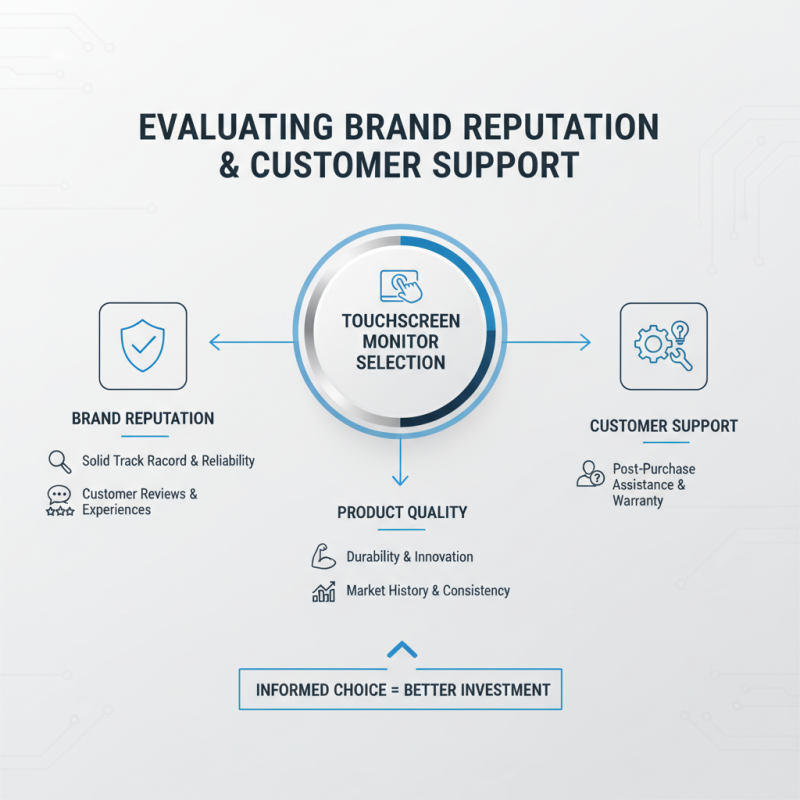
Evaluating Brand Reputation and Customer Support
When selecting a touch screen monitor, brand reputation is a pivotal factor. A manufacturer with a solid track record often signifies reliability. Customers frequently share their experiences online. These reviews can reveal strengths and weaknesses of specific models. Look for brands known for durability and innovation. Investigate their history in the market. Have they consistently delivered quality products? These questions matter.
Customer support can make or break your experience. A responsive support team can ease your transition to a new device. Consider brands that provide comprehensive support options. Online chat, email, and phone support should be readily available. Availability during business hours is essential. Response times may vary, so check customer feedback. Support that is hard to reach can lead to frustration. A strong, reputable brand often understands the importance of assisting its customers.
Don't overlook warranty and service options. A solid warranty can reflect a brand's confidence in their product. It helps ensure peace of mind. However, vague warranty terms can be a red flag. Investigate what is covered and for how long. Transparency in policies enhances trust. The right touch screen monitor should not only meet technical needs but also come from a brand that prioritizes its customers' satisfaction.
Budgeting and Comparing Prices for Touch Screen Monitors
When budgeting for a touch screen monitor, clarity is essential. Start by identifying your primary use. Is it for professional tasks, gaming, or educational purposes? Each use case comes with its own demands and price points. Monitors with high resolution and precision often command higher prices. Keep in mind, not all features are necessary for every user.
Comparing prices can be a daunting task. Various retailers may offer different prices for similar models. Online reviews can help, but common pitfalls include relying too heavily on ratings. Consider how features align with your needs. Sometimes, less popular models provide exceptional value. You may find that a slightly older model meets all your requirements without a hefty price tag.
Evaluate warranties and customer service options. These elements can affect your long-term satisfaction and costs. Investing in a reliable monitor means looking beyond the initial price. Do thorough research to ensure your choice will serve you well in the long run. Remember, price is just one piece of the puzzle.
2026 How to Choose the Best Touch Screen Monitor for Your Needs?
| Model |
Screen Size |
Resolution |
Price ($) |
Touch Technology |
Ideal Use |
| Model A |
21.5 inches |
1920 x 1080 |
250 |
Capacitive |
Home Office |
| Model B |
24 inches |
2560 x 1440 |
350 |
Infrared |
Retail |
| Model C |
27 inches |
3840 x 2160 |
800 |
Multi-touch |
Education |
| Model D |
32 inches |
1920 x 1080 |
600 |
Capacitive |
Presentations |