Touch Screen Display Tips for Optimal Performance and Longevity?
In today’s digital age, the importance of a reliable Touch Screen Display cannot be overstated. These devices are central to our daily lives, from smartphones to tablets and interactive kiosks. Ensuring optimal performance is crucial for efficiency and user satisfaction. Longevity often takes a backseat, yet it is vital for reducing costs and maximizing use.
Many users overlook the basic care of their Touch Screen Displays. Common habits like improper cleaning can degrade screen quality over time. Understanding how to maintain these screens can seem trivial, but it affects everyday usage. Without awareness, users might encounter issues that can hinder performance.
Adoption of best practices can help maintain the integrity of your Touch Screen Display. Simple tips, like avoiding harsh chemicals, can extend the life of your device. However, many find themselves careless, resulting in faults that could have been easily prevented. Reflecting on these practices can lead to a more mindful approach to technology use.
Understanding Touch Screen Technology and Its Components
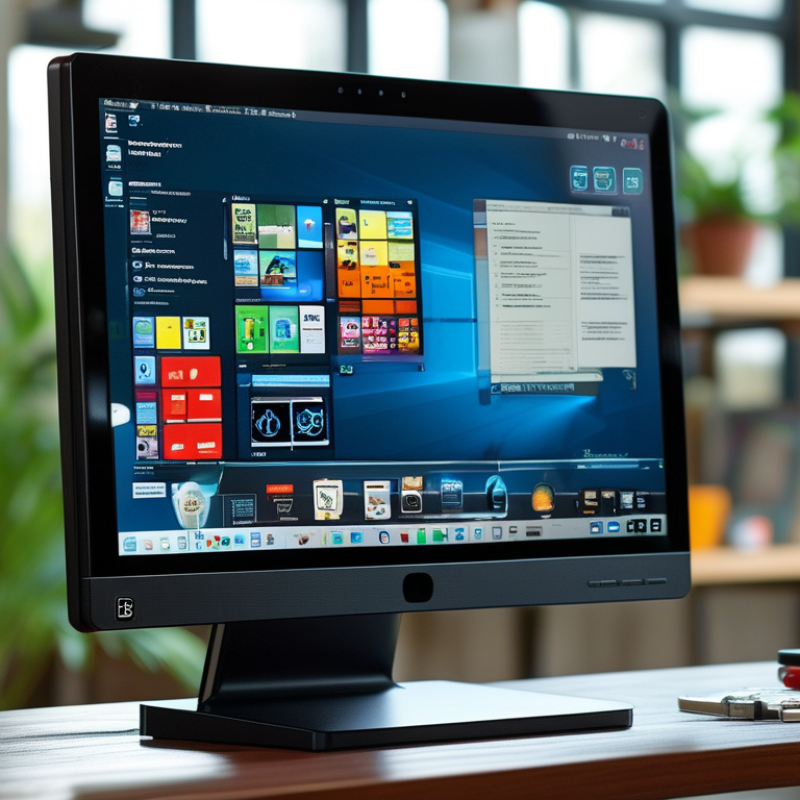
Touch screen technology has transformed how we interact with devices. Understanding its components is crucial for optimal performance. At the heart of this technology is a sensitive layer that responds to touch. This layer can be capacitive or resistive, each with unique advantages.
To maximize your device’s touch screen life, consider the following tips. Clean the screen regularly with a soft cloth, as dirt can hinder responsiveness. Avoid using sharp objects to prevent scratches. Be mindful of temperature; excessive heat can damage the internal components.
Another key aspect is software. Regular updates can improve touch sensitivity and overall functionality. Using the device with care is important. Sometimes, a slight delay in response can be due to background applications consuming resources. You might need to close unused apps to enhance performance. Such simple actions contribute significantly to the longevity of your touch screen.
Best Practices for Cleaning and Maintaining Touch Screen Displays
Cleaning and maintaining touch screen displays are crucial for optimal performance and longevity. Dust and fingerprints can hinder responsiveness. Regular cleaning ensures clarity and accurate touch recognition.
Use a microfiber cloth slightly dampened with water. Wipe the screen gently in circular motions. Avoid strong chemicals, as they can damage the touch layer. Cleaning once a week is a good habit but may need adjustment depending on usage.
Check for smudges regularly. They can accumulate quickly. If your display feels sticky, it might be time for a deeper clean. Remember not to press too hard. Excessive pressure could result in scratches. Taking these practical steps can significantly improve the lifespan of your device while ensuring it remains functional.
Touch Screen Display Usage and Maintenance Best Practices
Optimizing Touch Screen Sensitivity and Response Time
Touch screen devices are a part of everyday life. Optimizing their sensitivity and response time can enhance user experience. Sensitivity involves how well the screen detects touch. Factors like screen protector thickness can impact this performance. A thick protector may reduce sensitivity. It’s wise to test different types to find the best fit.
Response time is equally important. This refers to how quickly the device reacts to touch. A delay can be frustrating. Ensure your device’s software is updated. Outdated software may slow down performance. Additionally, cleaning the screen regularly helps maintain responsiveness. Dirt and smudges can interfere with the touch sensors.
Sometimes, users face issues with unregistered touches. If the device is unresponsive, consider recalibrating the screen. Many devices offer this option in settings. It can help restore proper function. Reflect on your usage habits. Often, heavy multitasking can cause slowdowns. Recognize these patterns to improve your device's efficiency. Balancing performance with care can lead to a better touch screen experience.
Setting Up Touch Screen Displays for Different Environments
Setting up touch screen displays for different environments requires a careful approach. A bright, busy area may necessitate a higher brightness level, while a dimly lit room benefits from lower settings. Ambient light can significantly impact visibility and user experience. Conduct tests to determine the optimal brightness for your specific location.
Durability is another key factor. Touch screens in public spaces face more wear and tear. Protective films can help reduce scratches. Regular cleaning is essential, too; avoid harsh chemicals that could damage the surface. Training staff on proper usage is often overlooked but crucial. They should understand how to handle the screens correctly to extend their lifespan.
Consider the user experience in diverse settings. For outdoor displays, weatherproofing becomes essential. Touch sensitivity can be affected by factors such as temperature and humidity. Regularly evaluate the touch accuracy and response times. Collect user feedback to identify areas for improvement. Often, adjustments are needed based on user interactions that weren't initially anticipated.
Touch Screen Display Tips for Optimal Performance and Longevity
| Environment |
Recommended Touch Screen Type |
Optimal Calibration Setting |
Maintenance Tip |
| Office |
Capacitive Touch Screen |
Standard (Default) |
Clean regularly with a microfiber cloth. |
| Outdoor |
Projective Capacitive (PCAP) |
High Sensitivity |
Use UV-protective screen covers. |
| Hospital |
Resistive Touch Screen |
Medium Sensitivity |
Disinfect daily with suitable cleaners. |
| Retail |
Multi-touch PCAP |
Touch Accuracy |
Regularly check for software updates. |
| Industrial |
IP-rated Touch Screen |
Rugged Calibration |
Inspect seals and edges regularly. |
Troubleshooting Common Touch Screen Performance Issues
Touch screen devices are incredibly convenient but can sometimes fall short in performance. Users often encounter issues like unresponsive areas or erratic behavior. This can stem from several factors. Dust, dirt, or oil buildup is common. Regularly clean the surface with a soft, lint-free cloth for the best results. A simple cleaning can significantly improve responsiveness.
Calibration is another overlooked aspect. Devices sometimes fail to recognize touch accurately. Check your settings for calibration options. Sometimes a reset can help restore normal functionality. It's worth exploring user manuals for specific guidance on your device.
Environmental factors can also affect performance. Too much heat or cold can hinder responsiveness. If your device frequently experiences extreme temperatures, consider adjusting usage locations. Re-evaluating usage habits may reveal patterns that lead to these frustrations. Often, small changes can result in noticeable improvements in touch screen operation.