How to Choose the Best Touch Screen Display for Your Needs?
Choosing the right Touch Screen Display can be a daunting task. With numerous options available, understanding your specific needs is essential. These displays serve various purposes, from enhancing interactivity in presentations to improving customer experiences in retail.
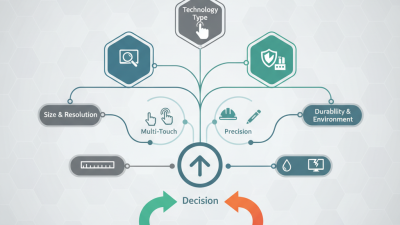
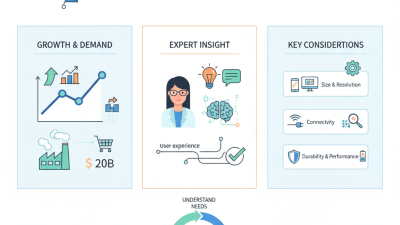
Expert insights emphasize evaluating factors like size, resolution, and technology. For instance, larger screens may work better for collaborative settings. Meanwhile, higher resolutions can captivate audiences more effectively. It’s also crucial to consider the environment where the display will be used. Bright locations may require screens with anti-glare features.
However, one must reflect on the budget. While investing in high-quality technology is tempting, it’s important to balance features with affordability. Often, users overlook the benefits of mid-range displays that offer solid performance. Careful consideration of these factors will guide you to the perfect Touch Screen Display for your unique requirements.
Understanding Touch Screen Technologies: Capacitive vs. Resistive Displays
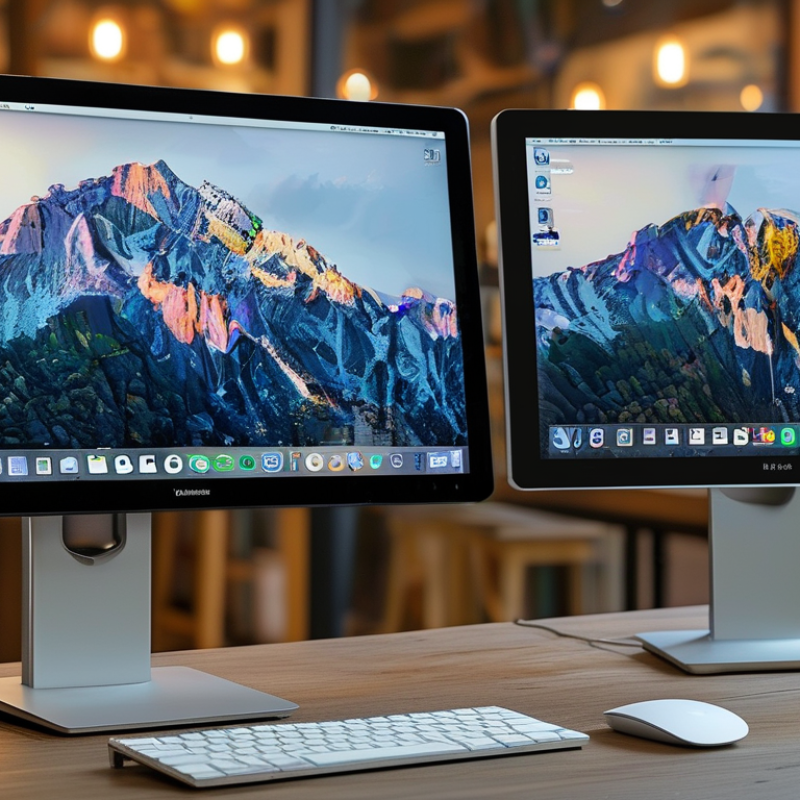
When selecting a touch screen display, understanding the technology behind capacitive and resistive displays is essential. Capacitive touch screens use the electrical properties of the human body to enable interaction, offering a high level of sensitivity and clarity. Research indicates that as of 2022, capacitive displays accounted for approximately 70% of the touch screen market due to their responsive nature. These screens are ideal for applications requiring quick touch responses, such as smartphones and tablets.
On the other hand, resistive touch screens rely on pressure applied directly to the screen. This technology is more cost-effective but may lack the sensitivity and clarity of capacitive screens. For instance, data from a recent industry report noted that resistive displays held about 30% of the market share. They are often used in environments where durability is crucial, like industrial machines. However, they can feel less intuitive, leading some users to express frustration over their responsiveness.
Both technologies have their pros and cons. Capacitive displays tend to excel in user engagement and clarity. In contrast, resistive displays might fall short in this respect, highlighting an important consideration when choosing a touch screen. The decision ultimately depends on your specific needs and the environment in which the display will be used.
Evaluating Screen Size: Finding the Right Dimensions for Your Application
When selecting a touch screen display,
screen size plays a critical role. The right dimensions can significantly affect user experience.
Larger screens provide more space for interaction. They are ideal for applications requiring extensive visual detail.
However, they can also take up more physical space. Consider where the display will be used. A bulky screen may overwhelm a small area.
For portable applications,
smaller screens are often more manageable. They can easily fit into tighter spaces, making them convenient for fieldwork.
Yet, a display that is too small may hinder usability. It's important to balance screen size
with the intended tasks. Users should also think about resolution.
A high-resolution screen can enhance clarity, especially on smaller displays.
Lastly, context matters.
A touch screen in a retail environment would benefit from a different size than one used in a corporate setting.
Reflect on the audience and purpose. Will users be standing or sitting? Proximity to the screen
influences size choice. These details are often overlooked but essential in the selection process. Finding the right
screen dimensions can transform the overall effectiveness of your application.
Resolution Matters: The Impact of Pixel Density on User Experience
When selecting a touch screen display, resolution plays a critical role. The pixel density directly impacts clarity and usability. A display with 300 pixels per inch (PPI) provides a sharper image than one with 150 PPI. Given that the human eye can typically discern details at around 300 PPI, investing in high-resolution options enhances the user experience significantly.
It's essential to consider the environment where the display will be used. In bright settings, a resolution that supports anti-glare technology is a must. According to a recent study from Display Industry Analytics, devices with higher brightness and pixel density outperform those with lower specs in both visibility and user satisfaction.
Tips for choosing the right display include testing different resolutions. Experience firsthand how various displays respond to your touch. Consider the tasks you'll perform. For tasks requiring fine detail, opt for higher pixel density. However, remember that higher resolution displays can increase costs. Balancing budget with requirements is necessary for making a wise choice.
Impact of Pixel Density on User Experience
Analyzing Touch Sensitivity: How Responsiveness Affects Usability
When selecting a touch screen display, responsiveness plays a crucial role in usability. Reports indicate that users prefer touch screens with a response time of under 15 milliseconds. A delay of even a hundred milliseconds can frustrate users, impacting their overall experience. This emphasizes the importance of touch sensitivity, as a display that reacts instantly fosters seamless interactions.
Consider the technology behind the touch screen. Capacitive screens generally provide a more responsive feel compared to resistive ones. Capacitive displays detect touch through the electrical properties of the human body, enabling quicker responses. In contrast, resistive screens rely on pressure, which generally slows down the interaction. Aim for a device that offers capacitive technology if quick response times are a priority for you.
Tip: Test the touch screen where possible. Swipe and tap to gauge how it responds. Also, consider multi-touch capabilities. Reports suggest that 85% of users find multi-touch gestures improve their interaction quality. Choosing a touch screen that prioritizes responsiveness ensures a more enjoyable and efficient user experience.
Considering Durability: Selecting Displays for Different Environment Conditions
When selecting a touch screen display, durability plays a crucial role. Different environments demand different features. For outdoor use, displays must resist sunlight and moisture. For factory settings, screens should endure dirt and vibrations. A robust interface can extend a display’s lifespan significantly.
Tips: Look for displays with high ratings for water and dust resistance. Choose screens made of toughened glass to prevent scratches. Ensure the brightness levels are suitable for varying lighting conditions.
Consider the temperature ranges where the display will be used. Some screens perform poorly in extreme heat or cold. Conduct tests in the actual environment when possible. Not all displays will survive the same conditions. It is essential to understand these differences for long-term success.
Tips: Research temperature tolerance specifications before buying. If the display is for a high-traffic area, consider additional protective measures like protective covers. Evaluate the likelihood of physical stress when making your choice.
How to Choose the Best Touch Screen Display for Your Needs? - Considering Durability: Selecting Displays for Different Environment Conditions
| Display Type |
Durability Rating |
Optimal Environment |
Temperature Range (°C) |
Water Resistance |
| Standard Touch Screen |
IP54 |
Indoor |
0 to 40 |
Limited |
| Rugged Touch Screen |
IP67 |
Outdoor |
-20 to 60 |
Yes |
| Industrial Touch Screen |
IP65 |
Manufacturing |
-10 to 50 |
Yes |
| Outdoor Touch Screen |
IP66 |
Public Kiosks |
-10 to 50 |
Yes |
| Medical Touch Screen |
IP65 |
Healthcare |
0 to 40 |
Yes |