Top 10 LCD Touch Monitors Buyers Need to Consider?
Choosing the right LCD touch monitor can be challenging. The market offers a variety of options, each with unique features. Buyers often find it difficult to narrow down their choices.
An LCD touch monitor must meet specific requirements. Factors like screen size and resolution matter greatly. Touch sensitivity also plays a crucial role in user experience. Moreover, the design and build quality affect durability. Many users overlook these points, leading to regrets later.
Investing in a high-quality LCD touch monitor can enhance your workflow significantly. Yet, it's essential to analyze your specific needs first. Consider how you plan to use it daily. A thoughtful approach can save time and money in the long run.
Key Features to Look for in LCD Touch Monitors
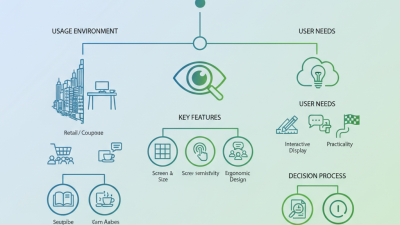
When considering an LCD touch monitor, several features stand out.
One key aspect is screen resolution. Monitors with higher resolutions provide sharper images. This enhances clarity for both graphics and text. For professional tasks, investing in higher resolution is wise.
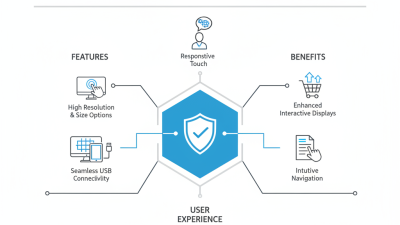
Touch responsiveness is another crucial feature. A responsive touch interface improves user experience significantly. Look for monitors with multi-touch capabilities. They offer greater flexibility for various applications. Not all touch screens are created equal. Some may require more pressure. This affects usability.
Tips: Test the monitor physically if possible. Bring along a few applications to gauge responsiveness. Consider your workspace. What size monitor fits best? This can impact your overall productivity.
Durability is also important. Monitors used in public settings should withstand daily wear. Look for scratch-resistant screens and sturdy designs. Many models come with various coatings. Check if these coatings can handle the environment in which it will be used.
Lastly, always consider your connectivity needs. Compatibility with existing equipment can save headaches later. A variety of ports can make a big difference. Ensure the monitor fits well with your setup. Think about future upgrades as well.
Understanding Screen Size and Resolution for Touch Monitors
When selecting an LCD touch monitor, screen size and resolution are crucial elements to consider. Larger screens tend to enhance user interaction. A monitor with a screen size of 20 inches or more can significantly improve visibility and accessibility, particularly for collaborative work environments. According to a report by Future Market Insights, the demand for larger touchscreen displays is rising, reflecting a shift toward more interactive workspaces.
Resolution is equally important. A monitor with a resolution of 1920x1080 pixels is considered full HD. This provides sharp images and clear text, which is essential for graphic-intensive applications. However, higher resolutions, such as 4K (3840x2160 pixels), are becoming more prevalent. A study by Display Supply Chain Consultants indicates that touch monitors with higher resolutions are increasingly favored in professional sectors, where detail matters.
Yet, the choice is not straightforward. Larger screens with high resolutions can be costly. It's vital to balance budget with requirements. Users must reflect on their specific needs before making a purchase. Consider usage scenarios carefully. The right monitor can greatly influence productivity and user satisfaction. Aim for a display that matches your workspace and enhances user experience.
Top 10 LCD Touch Monitors Buyers Need to Consider
| Model |
Screen Size (inches) |
Resolution |
Touch Technology |
Brightness (cd/m²) |
Price (USD) |
| Model A |
15.6 |
1920 x 1080 |
Capacitive |
250 |
199 |
| Model B |
21.5 |
1920 x 1080 |
Resistive |
300 |
299 |
| Model C |
23.8 |
2560 x 1440 |
Capacitive |
350 |
399 |
| Model D |
19.5 |
1600 x 900 |
Resistive |
220 |
179 |
| Model E |
27 |
3840 x 2160 |
Capacitive |
400 |
599 |
| Model F |
24 |
1920 x 1080 |
Resistive |
280 |
249 |
| Model G |
30 |
2560 x 1440 |
Capacitive |
450 |
699 |
| Model H |
22 |
1920 x 1080 |
Resistive |
260 |
219 |
| Model I |
25 |
2560 x 1440 |
Capacitive |
370 |
499 |
| Model J |
18.5 |
1366 x 768 |
Resistive |
230 |
159 |
Evaluating Touch Technologies: Resistive vs. Capacitive
When evaluating touch technologies for LCD monitors, users often face a choice between resistive and capacitive screens.
Resistive touchscreens operate based on pressure. They are typically less expensive and offer reliable functionality in various environments. Users can interact with the screen using gloves or any stylus. This can be beneficial in industrial settings or outdoor applications. The downside is they may not provide the same level of responsiveness as other options.
On the other hand, capacitive touchscreens use the electrical properties of the human body. They offer excellent sensitivity and multi-touch support. This technology results in a smoother experience. Users tend to find capacitive screens more intuitive and enjoyable.
However, these monitors may not work well with gloves. Additionally, they can be more expensive. Some users might reflect on their needs and preferences. Ultimately, the ideal choice depends on the user’s specific context. Decision-making here can be influenced by factors like environment, required durability, and budget.
Assessing Connectivity Options and Compatibility
When choosing an LCD touch monitor, connectivity options and compatibility are crucial. Buyers often overlook these aspects, leading to frustrating setups. A monitor's input options can significantly impact its usability. Common connections include HDMI, DisplayPort, and VGA. These ports should match your computer or other devices. Double-checking compatibility can save you from future headaches.
Wireless connectivity is becoming more popular. Some monitors now support Wi-Fi and Bluetooth. These features allow for more flexibility in placement and usage. However, ensure that your devices can interact seamlessly. Sometimes, outdated software can hinder performance. Testing connects before a full setup is wise.
In addition, consider the operating system. Some monitors may have better compatibility with specific systems. This aspect can affect the touch functionality. Various touchscreen technologies exist, like capacitive and resistive. Knowing the differences between these types is helpful. Misunderstanding can lead to poor user experience. Always research compatibility ahead of time to ensure a smooth operational flow.
Considering Durability and Ergonomic Design in Touch Monitors
When selecting an LCD touch monitor, durability and ergonomic design are key factors. Touch monitors face frequent use in various settings, from retail to education. Therefore, a robust build is essential for long-term performance. Consider monitors made from high-quality materials that can withstand daily wear and tear. This is especially important in environments where devices can be accidentally bumped or dropped.
Ergonomic design also plays a significant role in user experience. Monitors that adjust in height and angle can reduce strain on the neck and eyes. A monitor with a tilted screen will allow for better visibility and comfort during extended use. Many users overlook the importance of adjustability and end up feeling discomfort after prolonged sessions. Finding a monitor that offers these features can lead to better productivity and overall satisfaction.
Investing in a durable touch monitor with a user-friendly design is crucial. It not only enhances the performance but also encourages healthier habits at the workstation. A thoughtful approach to ergonomics ensures that the monitor serves its purpose effectively without compromising user well-being. This balance is vital for any buyer looking for the best touch monitor experience.