How to Choose the Best Lcd Touch Monitor for Your Needs?
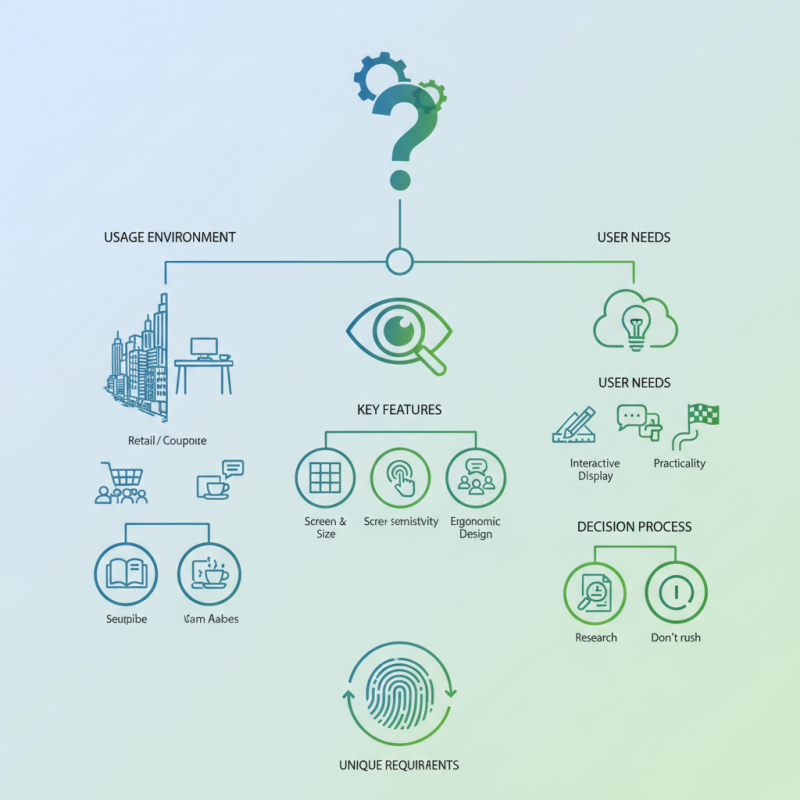
When selecting an Lcd Touch Monitor, various factors come into play. Industry expert Dr. Emily Carter emphasizes, "Understanding your specific needs is crucial in making the right choice." This insight is vital as touch monitors serve diverse purposes—ranging from interactive displays in retail to precise input devices for designers.
Choosing the right Lcd Touch Monitor can feel overwhelming. Features such as screen size, resolution, and touch sensitivity significantly impact user experience. Users often overlook the importance of ergonomic design, which affects prolonged usage. It's not just about aesthetics; practicality plays a key role.
Consider your primary usage. Will it accommodate a busy environment or a calm workspace? This question can guide your selection. Research and testing can be invaluable. Finding the perfect match is an evolving process. Don't rush into a decision; you may miss subtle yet important details. Each requirement is unique. Reflect on the specifics that matter most to you.
Understanding the Different Types of LCD Touch Monitors
When selecting an LCD touch monitor, it's crucial to understand the different types available. Capacitive and resistive are the most common technologies. Capacitive screens are known for their responsiveness. They offer multi-touch capabilities, making them ideal for interactive applications. However, they can be less effective in wet conditions. Resistive screens, on the other hand, are durable and work well with gloves or styluses. They are often used in industrial settings but may lack the clarity of capacitive displays.
According to a report by DisplaySearch, the global market for touch displays is expected to grow significantly. In 2022, capacitive touch screens accounted for over 60% of the market. This trend highlights their popularity in consumer electronics. Yet, the choice depends on usage scenarios. For instance, self-service kiosks often utilize resistive screens for robustness. The environment plays a vital role in the decision-making process.
In addition, sizes vary widely. Smaller screens may serve portable devices well, while larger monitors are better for presentations. Choosing the right size can impact user experience. Moreover, many users overlook resolution and aspect ratio. High-resolution monitors enhance clarity but may come with a higher price tag. Balancing quality and cost is essential for making the best choice.
Key Features to Consider When Selecting an LCD Touch Monitor
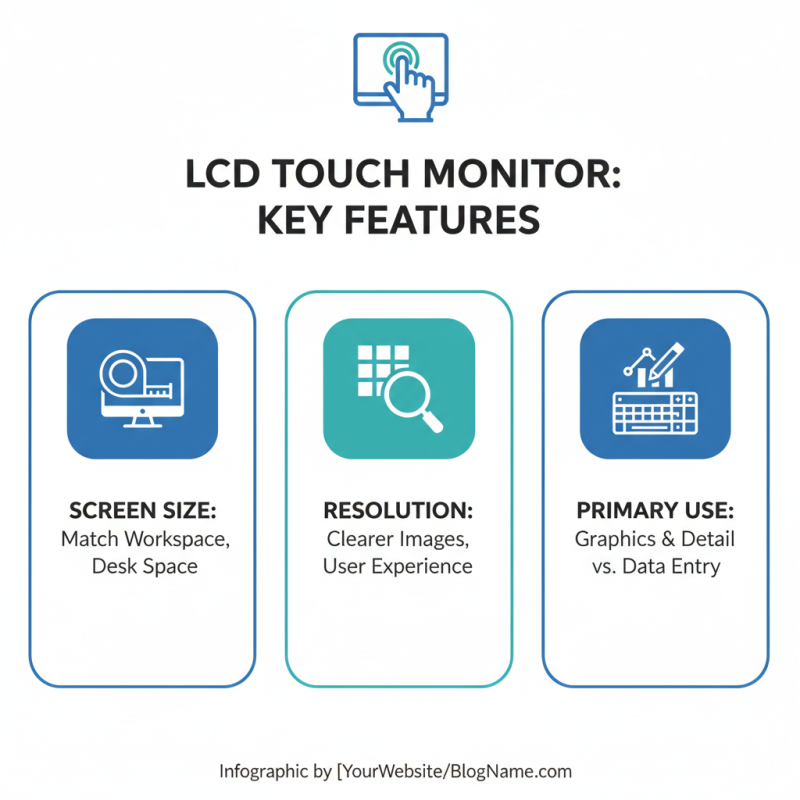
When selecting an LCD touch monitor, there are key features to consider. The screen size should match your workspace. A larger screen offers better visibility but can occupy substantial desk space. Resolution matters. Higher resolution displays provide clearer images, which enhance user experience. Think about your primary uses. Do you need detailed graphics, or is it mainly for data entry?
Touch sensitivity is another essential aspect. Look for monitors that offer multi-touch capabilities. This feature enhances interaction and allows for more dynamic usage. The response time should be quick as well. A delay in touch response can be frustrating. Also, check viewing angles; wider angles make it easier for multiple users to engage with the monitor.
Connectivity options are significant too. Ensure the monitor supports various inputs such as HDMI and USB. This flexibility makes it easier to connect with different devices. Ergonomics should not be overlooked; adjustable stands and VESA compatibility enhance comfort. Remember, the right monitor should align with your specific needs and working environment. It's a balance of functionality and comfort, and it’s worth taking time to reflect on your situation.
Evaluating Screen Size and Resolution for Your Specific Needs
When evaluating screen size and resolution, start by considering your workspace. A larger monitor could be beneficial for multitasking. If you frequently work with graphics or detailed spreadsheets, a bigger screen enhances visibility. However, a size that feels overly large in a compact area can become overwhelming.
Resolution is equally crucial. High-resolution screens provide sharper images, making them essential for design work or video editing. A 1080p display may suffice for general tasks. However, professionals might prefer 4K displays for their clarity. The detail can make a significant difference, especially if you often work with intricate designs.
It's vital to reflect on personal preferences. Some users might find a high-resolution display unnecessary for everyday tasks. Others may struggle to manage multiple windows efficiently on a small screen. Trying different setups before making a purchase can clarify what truly suits your workflow. Balancing size and resolution with your unique needs is key to finding the right LCD touch monitor.
Assessing Connectivity Options and Compatibility Requirements
When choosing an LCD touch monitor, connectivity options play a vital role. Different monitors offer various ports like HDMI, USB, and DisplayPort. Assessing what connections your devices use is crucial. Will you need to connect to a laptop, desktop, or other peripherals? Make a list of essential connections to ensure compatibility.
Also, consider your project’s requirements. Some applications may demand multiple connections. For instance, if you’re using the monitor for a digital signage project, you might need both video and power inputs readily accessible. Many monitors offer additional features such as USB hubs, which can simplify your setup. Check if the monitor supports your operating system; some touch functionalities may vary between systems.
Lastly, reflect on your space and usage. A larger monitor might enhance your experience, but it requires more desk space. Be mindful of your environment and how the touch interface will be used. Will users stand close or at a distance? This can impact both the size and connectivity needs of your monitor. Balancing these considerations can lead to a more satisfying choice.
Analyzing Budget and Brand Reputation for Optimal Choice
When selecting an LCD touch monitor, budgeting is key. A solid budget helps narrow your choices. It's essential to define a range that fits your financial plan. Some affordable models can meet basic needs. However, cutting costs may compromise quality.
Brand reputation plays a significant role. Established brands often offer better support and reliability. Reviews from actual users provide invaluable insights. Look for common praises and complaints. Doing thorough research here can save time and money later.
Tips for budgeting: Set a maximum price before shopping. This keeps impulse buys at bay. Monitor specifications are crucial. Higher resolution models can enhance usability but may cost more. Consider the long-term warranty options. Investing in good support can prevent future headaches. Choose a monitor that meets your use case, not just the latest trends.
Best LCD Touch Monitors Analysis