Touch Screen Panels have transformed how users interact with technology. These advanced interfaces allow seamless navigation and enhance engagement. As we dive into the world of Touch Screen Panel technologies, it's crucial to understand their impact on our daily lives.
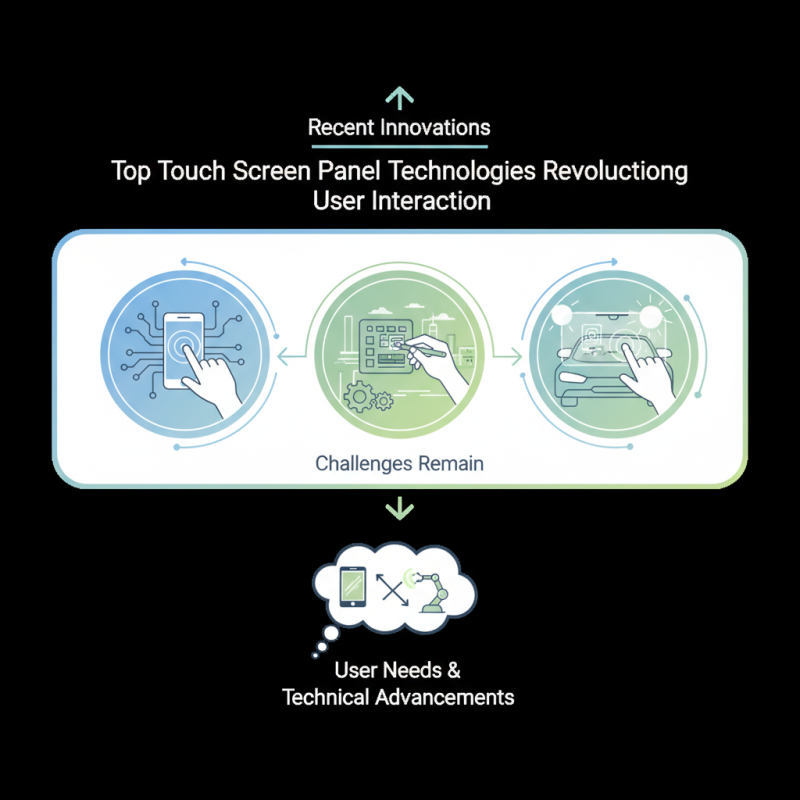
Recent innovations in Touch Screen Panel design have redefined user experience. Capacitive, resistive, and projected capacitive technologies each offer unique advantages. Capacitive panels, for instance, respond to light touches, making them popular in smartphones and tablets. Conversely, resistive panels provide precise control, often used in industrial applications.
Despite their popularity, challenges remain. Not all Touch Screen Panels perform well in various environments. For example, outdoor visibility can be an issue, which requires further innovations. Exploring these technologies reveals the dynamic intersection of user needs and technical advancements. It’s important to reflect on how these systems evolve and their potential to enhance or disrupt our interactions with devices.
Touch screen panel technologies have transformed how we interact with devices. From smartphones to kiosks, these panels enhance user experience. Capacitive and resistive screens are among the most popular types. Capacitive screens respond to touch by detecting changes in electrical fields. They are sensitive and support multi-touch features. In contrast, resistive screens rely on pressure to register touch. They can be less responsive and are commonly used in rugged environments.
When choosing a touch screen for a project, consider your audience. Understand the environment where the screen will be used. Whether in bright sunlight or dimly lit rooms, the panel's visibility is crucial. Technology can sometimes falter. Touch sensitivity might mean unintended inputs. Testing in real scenarios helps identify such issues.
Tips: Regularly evaluate user feedback. It reveals insights on usability. Analyze how your audience interacts with the screen. Modify your approach based on observations. Continuous refinement leads to improved interaction experiences.
| Technology Type | Key Features | Applications | Advantages | Limitations |
|---|---|---|---|---|
| Capacitive | Multi-touch capability, high sensitivity | Smartphones, tablets, kiosks | Excellent clarity, fast response | Requires conductive input, more expensive |
| Resistive | Pressure-sensitive, compatible with styluses | Industrial equipment, medical devices | Cost-effective, works with gloves | Lower durability, less clarity |
| Infrared | Uses infrared light to detect touch | Public information displays, large screens | No wear and tear, good for large surfaces | Susceptible to interference, lower resolution |
| Surface Acoustic Wave (SAW) | High clarity, multi-touch | Interactive displays, ATMs | Excellent image quality, durable | Requires maintenance, not suitable for wet conditions |
| Optical | Uses cameras to detect touch | Touch tables, gaming devices | Large touch area, flexible design | Sensitive to ambient light, possible ghosting |

The history of touch screen technologies dates back several decades. The early developments began in the 1960s with resistive touch screens. These devices were basic, requiring pressure to register input. They were primarily used in industrial settings due to their durability.
In the following years, developments advanced. Capacitive touch screens emerged, utilizing the conductivity of the human body. These screens offered more precision and were easier to use. They became popular in consumer devices. The introduction of multi-touch technology radically transformed user experiences. Users could pinch, swipe, and interact in intuitive ways.
Yet, with all these advancements, challenges remain. Screen sensitivity can be an issue, sometimes leading to unintended inputs. Environmental factors, like sunlight, can affect visibility. These hurdles invite ongoing innovation and refinement. The journey of touch screen technology continues to reshape the way we interact with devices, but there is room for improvement.
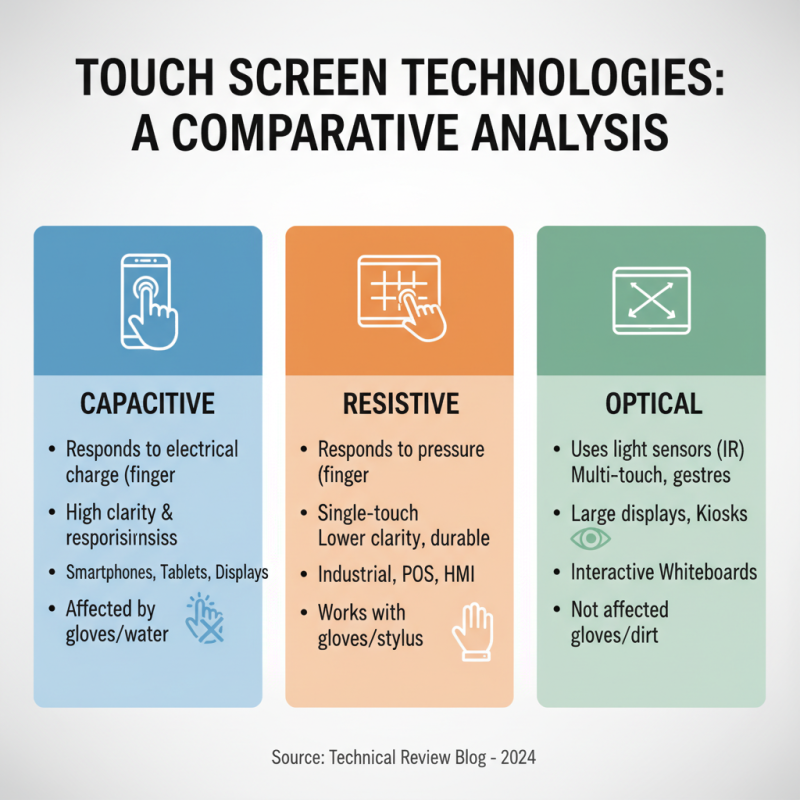
Touch screen panel technologies have transformed user interaction. Each type has unique characteristics that suit different applications. Capacitive screens respond to finger touches. They provide better clarity and allow for multi-touch capabilities. This makes them ideal for smartphones and tablets. However, they can struggle with wet hands or when using gloves.
Resistive touch screens operate by applying pressure. They work well with styluses or fingers, even when wet. This makes them suitable for industrial or outdoor devices. But they offer poorer image quality compared to capacitive screens. Optical touch technology uses cameras to detect touches. It boasts a high level of accuracy and supports larger displays. Yet, the complexity can lead to higher costs.
**Tip:** When choosing a touch screen, consider the environment. If you need a device for rugged outdoor use, resistive might be best.
In summary, each technology has pros and cons. Assessing the application requirements is crucial. Keep in mind how users will interact with the screen.
**Tip:** Testing in real-world scenarios will provide better insights into performance. User feedback can also reveal unexpected challenges that arise.
The rise of multi-touch technology has transformed user interaction in significant ways. Reports indicate that the global multi-touch display market is expected to reach approximately $30 billion by 2027. This dramatic growth reflects an increasing demand for intuitive user interfaces across various sectors, such as retail, healthcare, and education. Multi-touch interfaces allow for seamless interaction, enabling multiple users to engage with content simultaneously. This creates a more dynamic and engaging experience, essential in today's digital landscape.
Gesture recognition technology is another groundbreaking advancement. According to a market research report, the gesture recognition market size is projected to grow to over $40 billion by 2025. This technology allows users to control devices with natural movements, reducing reliance on traditional input methods. Sensors detect hand movements or body positions, offering a unique interaction paradigm. However, challenges remain; achieving accurate recognition in diverse conditions is still an issue. Companies must continue to refine algorithms to enhance precision and minimize errors in various settings.
Despite the innovations, the implementation of these technologies has raised concerns. Inaccurate gesture recognition can lead to frustration, impacting user experience negatively. Moreover, reliance on touch and gestures could exclude users who are less tech-savvy. Addressing these challenges is crucial for ensuring that advancements in interactive technology cater to a wider audience.
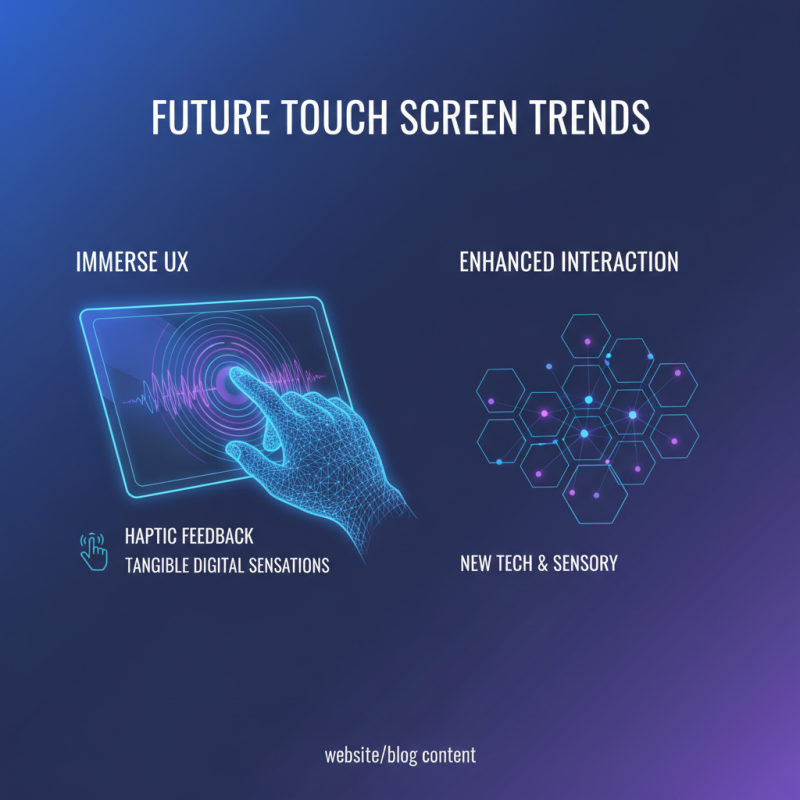
The future of touch screen interfaces promises an immersive user experience. New technologies are enhancing how we interact. One trend is haptic feedback, giving users physical sensations while using the screen. This makes the digital experience feel more tangible.
Tips: Consider testing devices with haptic technology. Pay attention to how it changes your interaction with apps. It can make tasks feel more intuitive.
Another noteworthy trend is the integration of AI with touch screens. This combination personalizes user interactions. For instance, devices can learn your preferences over time. Users can expect more responsive and tailored experiences.
Tips: Be open to exploring new features that AI brings. Evaluate how these changes can make your daily tasks easier. Reflect on what still feels clunky and what could improve.
As touch technology evolves, accessibility is crucial. Designers are focusing on creating interfaces that everyone can use, including those with disabilities. However, not all designs account for diverse needs. Continuous feedback from users is vital for refining these interfaces.