How to Choose the Right Touch Screen Display for Your Needs?
Choosing the right touch screen display can be challenging. Various options exist, each with unique features. According to the industry expert, Dr. Emily Foster, “A good touch screen display meets the specific demands of users.” This statement highlights the importance of understanding one’s needs.
Touch screen displays vary greatly in size, resolution, and technology. For instance, some are ideal for industrial use, while others are meant for consumer electronics. Considering factors such as durability and responsiveness is crucial. In a world filled with choices, choosing an appropriate touch screen display can feel overwhelming.
Reflecting on your preferences might lead to a better decision. Personal experiences with touch screen technology vary widely. Some users appreciate a responsive interface, while others prefer sturdiness. Taking time to evaluate your needs pays off in the long run. Each choice presents its own strengths and weaknesses. Balancing these aspects will lead to a more satisfying experience with your touch screen display.

Understanding the Different Types of Touch Screen Displays
Touch screen displays come in several types, each with unique features and applications. Capacitive displays are prevalent in smartphones and tablets. They register touch through the conductivity of the human finger. According to Statista, nearly 50% of global smartphone users prefer capacitive screens due to their high responsiveness. However, they can be less effective when used with gloves or styluses.
Resistive touch screens are another popular option, often found in kiosks and industrial applications. They operate through pressure applied to the screen. Despite their durability, resistive screens typically offer a less vibrant display and reduced sensitivity compared to capacitive alternatives. Research by IHS Markit indicates that resistive displays accounted for approximately 30% of the market share in 2022. This shows a clear need for understanding user environments when choosing a display.
Another emerging type is the optical touch display, ideal for large screens and interactive installations. These displays use cameras and infrared sensors to detect touch. They excel in environments where multiple users may interact simultaneously. However, they tend to be more expensive and require careful calibration. It's essential to evaluate factors like ambient lighting and screen size for optimal performance. Each type has strengths and weaknesses, making it crucial to analyze your specific needs thoroughly.
Key Factors to Consider When Choosing a Touch Screen Display
When selecting a touch screen display, there are several key factors to consider. The first is the technology type. Capacitive and resistive touches are common options. Capacitive displays are typically more responsive but can be more expensive. According to industry data from Research and Markets, the global capacitive touch screen market is projected to reach $50 billion by 2026, highlighting its growing popularity.
Screen size and resolution are also crucial. Larger screens may enhance user experience, especially in interactive applications. However, higher resolutions demand more processing power, which can impact performance. A survey conducted by Statista indicates that 72% of users prefer displays above 10 inches for optimal visibility. Consider your specific needs carefully. Bigger isn’t always better if it affects usability.
Lastly, durability cannot be overlooked. Some touch screens resist scratches while others are prone to wear and tear. The market for ruggedized displays is expanding, with forecasts suggesting a CAGR of 9% through 2025. This growth reflects the increasing demand for reliable screens in tough environments. Ultimately, your choice should balance these factors based on real-world applications and user requirements.
Assessing Your Display Size and Resolution Requirements
Choosing the right touch screen display hinges on various factors, with size and resolution being crucial. When evaluating size, consider the environment where the display will be used. A small display might serve well in a personal setting, while larger screens are ideal for public spaces. Think about the audience and the distance from which users will interact with the screen. A display that is too small can strain visibility, leading to user frustration.
Resolution is equally important. Higher resolutions provide clearer images and text, enhancing user experience. If you plan to use graphics or detailed content, opt for a higher resolution. However, increased resolution often comes at a higher cost. Balancing budget constraints with quality needs is essential. Remember, a display that looks stunning up close may lose its impact from afar.
**Tips:** Always test the display in your intended setting. Check how it performs under various lighting conditions. Also, consider screen responsiveness. A touch screen should be intuitive and quick to respond. Don't be afraid to ask for product demonstrations or user reviews. Your comfort with a display can lead to better satisfaction and usability down the line.
How to Choose the Right Touch Screen Display for Your Needs?
| Display Size (inches) |
Resolution |
Aspect Ratio |
Ideal Use Case |
| 7 |
1280 x 800 |
16:10 |
Portable devices, tablets |
| 15.6 |
1920 x 1080 |
16:9 |
Laptops, kiosks |
| 24 |
1920 x 1080 |
16:9 |
Desktop monitors, signage |
| 32 |
3840 x 2160 |
16:9 |
Professional editing, large presentations |
| 55 |
3840 x 2160 |
16:9 |
Digital signage, large venues |
Evaluating Touch Technology: Capacitive vs. Resistive Displays
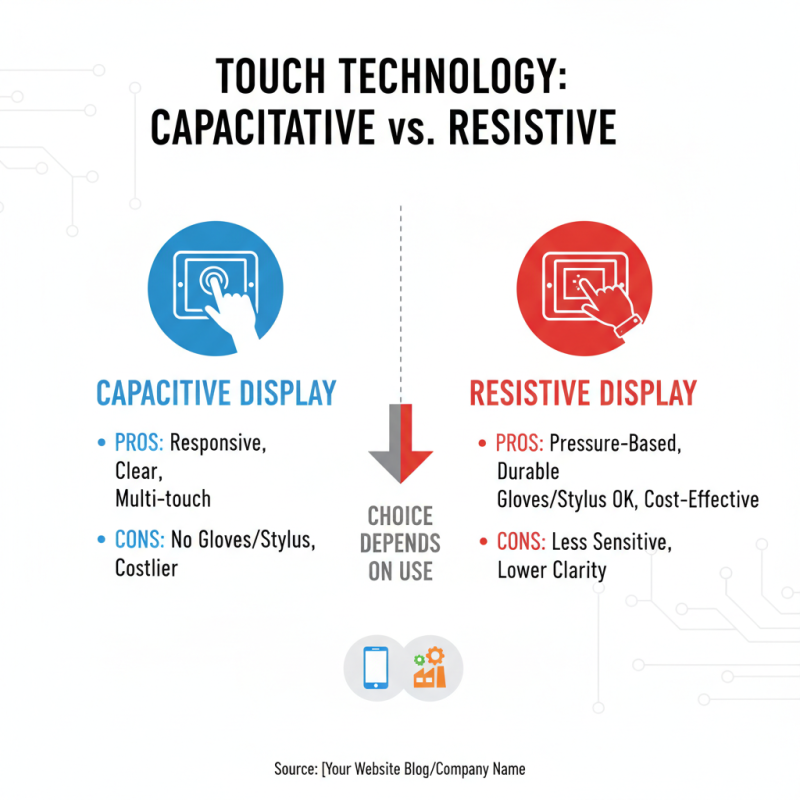
When selecting a touch screen display, understanding the difference between capacitive and resistive displays is crucial. Capacitive screens are known for their responsiveness and clarity. They utilize the electrical properties of the human body, allowing for smooth touch interactions. However, they might struggle with input from gloved hands or styluses. On the other hand, resistive displays rely on pressure applied to the screen. This makes them ideal for industrial settings where precision and durability are essential.
Tips: Consider your environment. If you need to use the screen with gloves, resistive might be better. For applications requiring multitouch gestures, capacitive screens are ideal.
The choice also depends on budget and application. Capacitive displays tend to be pricier but offer better performance. Resistive screens are often less expensive, making them a cost-effective option for basic functionalities. Evaluating the intended use case is vital. You might face limitations with either technology.
In some situations, one type might be more effective than the other. Think about how much accuracy you need. Reflecting on user experience can also guide your decision, as different applications will reveal different strengths and weaknesses in both technologies.
Budget Considerations: Finding the Right Display for Your Needs
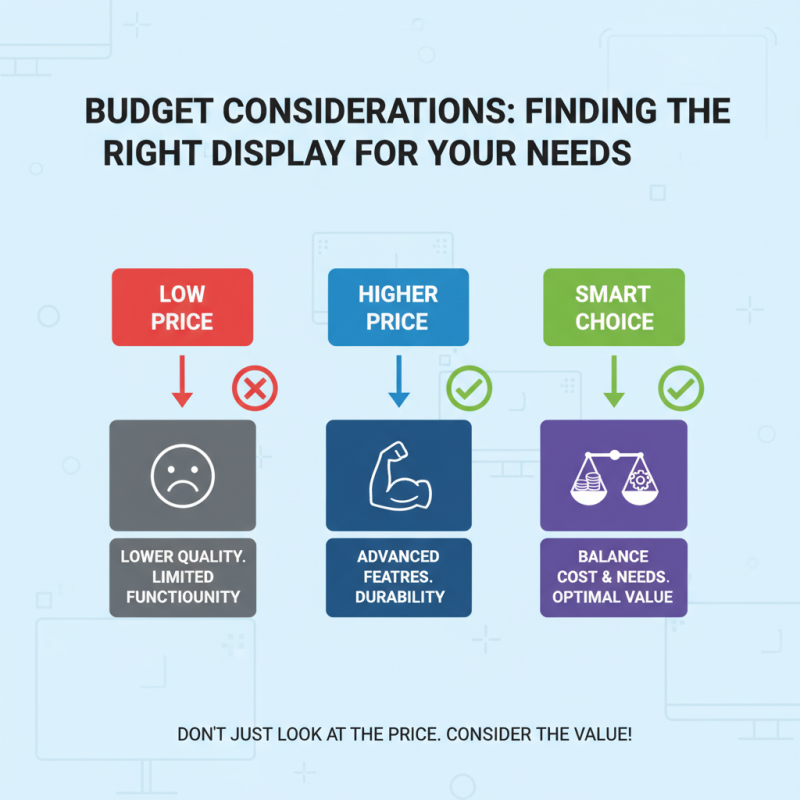
Choosing the right touch screen display can be tricky. Budget is a crucial factor. You might be tempted to go for the cheapest option. However, a low price often means lower quality. It’s essential to balance cost with functionality. A display that fits your pocket should still meet your needs.
Consider how often the display will be used. Frequent use requires a more durable screen. A robust option might come at a higher cost, but it can save you money in the long run. Check specifications like resolution, responsiveness, and screen size. Investing in better technology can enhance your overall experience.
Don’t overlook the importance of warranties and support. A solid warranty can reflect the manufacturer’s confidence in their product. This adds value to your investment. Evaluate the total cost of ownership. This includes not just the purchase price, but maintenance and upgrades over time. Reflecting on these aspects can lead to a more informed decision.